Posts on Security, Cloud, DevOps, Citrix, VMware and others.
Words and views are my own and do not reflect on my companies views.
Disclaimer: some of the links on this site are affiliate links, if you click on them and make a purchase, I make a commission.
A group of academics from KU Leuven and the University of Birmingham has demonstrated a new vulnerability called Battering RAM to bypass the latest defenses on Intel and AMD cloud processors.
"We built a simple, $50 interposer that sits quietly in the memory path, behaving transparently during startup and passing all trust checks," researchers Jesse De Meulemeester, David Oswald, Ingrid Verbauwhede, and Jo Van Bulck said on a website publicizing the findings. "Later, with just a flip of a switch, our interposer turns malicious and silently redirects protected addresses to attacker-controlled locations, allowing corruption or replay of encrypted memory."
Battering RAM compromises Intel's Software Guard Extensions (SGX) and AMD's Secure Encrypted Virtualization with Secure Nested Paging (SEV-SNP) hardware security features, which ensure that customer data remains encrypted in memory and protected during use.
It affects all systems using DDR4 memory, specifically those relying on confidential computing workloads running in public cloud environments to secure data from the cloud service provider using hardware-level access control and memory encryption.
The attack, in a nutshell, involves leveraging a custom-built, low-cost DDR4 interposer hardware hack to stealthily redirect physical addresses and gain unauthorized access to protected memory regions. The interposer makes use of simple analog switches to actively manipulate signals between the processor and memory, and can be built for less than $50.
On Intel platforms, Battering RAM achieves arbitrary read access to victim plaintext or write plaintext into victim enclaves, whereas on AMD systems, the attack can be used to sidestep recent firmware mitigations against BadRAM, which was documented by the researchers back in December 2024, and introduce arbitrary backdoors into the virtual machine without raising any suspicion.
Successful exploitation of the vulnerability can allow a rogue cloud infrastructure provider or insider with limited physical access to compromise remote attestation and enable the insertion of arbitrary backdoors into protected workloads.
The vulnerability was reported to the vendors earlier this year, following which Intel, AMD, and Arm responded that physical attacks are currently considered out of scope. However, defending against Battering RAM would require a fundamental redesign of memory encryption itself, the researchers noted.
"Battering RAM exposes the fundamental limits of the scalable memory encryption designs currently used by Intel and AMD, which omit cryptographic freshness checks in favor of larger protected memory sizes," they added. "Battering RAM [...] is capable of introducing memory aliases dynamically at runtime. As a result, Battering RAM can circumvent Intel's and AMD's boot-time alias checks."
The disclosure comes as AMD released mitigations for attacks dubbed Heracles and Relocate-Vote disclosed by the University of Toronto and ETH Zürich, respectively, that can leak sensitive data from cloud environments and confidential virtual machines that rely on AMD's SEV-SNP technology by means of a malicious hypervisor.
"The system lets the hypervisor move data around to manage memory efficiently," David Lie, director of the Schwartz Reisman Institute (SRI) at the University of Toronto, said. "So when data is relocated, AMD's hardware decrypts it from the old location and re-encrypts it for the new location. But, what we found was that by doing this over and over again, a malicious hypervisor can learn recurring patterns from within the data, which could lead to privacy breaches."
Last month, ETH Zürich researchers also demonstrated that a CPU optimization known as the stack engine can be abused as a side channel for attacks that lead to information leakage. A proof-of-concept (PoC) has been developed for AMD Zen 5 machines, although it's believed that all models have this "abusable hardware feature."
The discovery of Battering RAM also follows a report from Vrije Universiteit Amsterdam researchers about a new, realistic attack technique referred to as L1TF Reloaded that combines L1 Terminal Fault (aka Foreshadow) and Half-Spectre gadgets (aka incomplete Spectre-like code patterns) to leak memory from virtual machines running on public cloud services.
"L1TF is a CPU vulnerability that allows an (attacker) VM to speculatively read any data residing in the (core-local) L1 data cache – including data the VM shouldn't have access to," VUSec researchers said. "At a high level, L1TF Reloaded abuses this to obtain an arbitrary RAM read primitive."
Google, which provided the researchers with a sole-tenant node in order to conduct the research safely without potentially affecting any other customers, awarded a $151,515 bug bounty and "applied fixes to the affected assets." Amazon said the L1TF Reloaded vulnerability does not impact the guest data of AWS customers running on the AWS Nitro System or Nitro Hypervisor.
Spectre, which first came to light in early 2018, continues to haunt modern CPUs, albeit in the form of different variants. As recently as two weeks ago, academics from ETH Zürich devised a new attack known as VMScape (CVE-2025-40300, CVSS score: 6.5) that breaks virtualization boundaries in AMD Zen CPUs and Intel Coffee Lake processors.
Described as a Spectre branch target injection (Spectre-BTI) attack targeting the cloud, it exploits isolation gaps across host and guest in user and supervisor modes to leak arbitrary memory from an unmodified QEMU process. A software fix has been introduced in the Linux kernel to counter the cross-virtualization BTI (vBTI) attack primitive.
"VMScape can leak the memory of the QEMU process at the rate of 32 B/s on AMD Zen 4," the authors said in a study. "We use VMScape to find the location of secret data and leak the secret data, all within 772 s, extracting the cryptographic key used for disk encryption/decryption as an example."
from The Hacker News https://ift.tt/OqAnkW8
via IFTTT
Government and telecommunications organizations across Africa, the Middle East, and Asia have emerged as the target of a previously undocumented China-aligned nation-state actor dubbed Phantom Taurus over the past two-and-a-half years.
"Phantom Taurus' main focus areas include ministries of foreign affairs, embassies, geopolitical events, and military operations," Palo Alto Networks Unit 42 researcher Lior Rochberger said. "The group's primary objective is espionage. Its attacks demonstrate stealth, persistence, and an ability to quickly adapt their tactics, techniques, and procedures (TTPs)."
It's worth pointing out that the hacking group was first detailed by the cybersecurity company back in June 2023 under the moniker CL-STA-0043. Then last May, the threat cluster was graduated to a temporary group, TGR-STA-0043, following revelations about its sustained cyber espionage efforts aimed at governmental entities since at least late 2022 as part of a campaign codenamed Operation Diplomatic Specter.
Unit 42 said its continued observation of the group yielded enough evidence to classify it as a new threat actor whose primary goal is to enable long-term intelligence collection and obtain confidential data from targets that are of strategic interest to China, both economically and geopolitically.
"The group takes an interest in diplomatic communications, defense-related intelligence and the operations of critical governmental ministries," the company said. "The timing and scope of the group's operations frequently coincide with major global events and regional security affairs."
This aspect is particularly revealing, not least because other Chinese hacking groups have also embraced a similar approach. For instance, a new adversary tracked by Recorded Future as RedNovember is assessed to have targeted entities in Taiwan and Panama in close proximity to "geopolitical and military events of key strategic interest to China."
Phantom Taurus' modus operandi also stands out due to the use of custom-developed tools and techniques rarely observed in the threat landscape. This includes a never-before-seen bespoke malware suite dubbed NET-STAR. Developed in .NET, the program is designed to target Internet Information Services (IIS) web servers.
That said, the hacking crew has relied on shared operational infrastructure that has been previously employed by groups like AT27 (aka Iron Taurus), APT41 (aka Starchy Taurus or Winnti), and Mustang Panda (aka Stately Taurus). Conversely, the infrastructure components used by the threat actor have not been detected in operations carried out by others, indicating some sort of "operational compartmentalization" within the shared ecosystem.
The exact initial access vector is not clear, but prior intrusions have weaponized vulnerable on-premises Internet Information Services (IIS) and Microsoft Exchange servers, abusing flaws like ProxyLogon and ProxyShell, to infiltrate target networks.
Another significant facet of the attacks is the shift from gathering emails to the direct targeting of databases using a batch script that makes it possible to connect to an SQL Server database, export the results in the form of a CSV file, and terminate the connection. The script is executed using the Windows Management Instrumentation (WMI) infrastructure.
Unit 42 said the threat actor used this method to methodically search for documents of interest and information related to specific countries such as Afghanistan and Pakistan.
Recent attacks mounted by Phantom Taurus have also leveraged NET-STAR, which consists of three web-based backdoors, each of which performs a specific function while maintaining access to the compromised IIS environment -
IIServerCore, a fileless modular backdoor loaded by means of an ASPX web shell that supports in-memory execution of command-line arguments, arbitrary commands, and payloads, and transmits the results in an encrypted command-and-control (C2) communication channel
AssemblyExecuter V1, which loads and executes additional .NET payloads in memory
AssemblyExecuter V2, an enhanced version of AssemblyExecuter V1 that also comes fitted with the ability to bypass Antimalware Scan Interface (AMSI) and Event Tracing for Windows (ETW)
"The NET-STAR malware suite demonstrates Phantom Taurus' advanced evasion techniques and a deep understanding of .NET architecture, representing a significant threat to internet-facing servers," Unit 42 said. "IIServerCore also supports a command called changeLastModified. This suggests that the malware has active timestomping capabilities, designed to confuse security analysts and digital forensics tools."
from The Hacker News https://ift.tt/LepTCgW
via IFTTT
In healthcare, seconds matter. Every healthcare IT leader I speak with faces the same pressure: clinicians need instant, reliable access to their applications — not only for convenience but also to deliver timely, life-saving care. What clinicians don’t want is to be forced to work around technology – whether that’s just logging and getting started or accessing multiple applications seamlessly. Technology must work at the speed of business, not the other way around. At the same time, healthcare IT teams must balance security, compliance, and cost — often with limited resources and growing complexity.
Many healthcare organizations using Citrix Virtual Apps and Desktops and Imprivata Enterprise Access Management (EAM) have already made smart decisions to support this balance. Citrix’s Virtual Apps and Desktops delivers exceptional clinical care experiences which accelerate and secure the care experience. Imprivata EAM delivers single sign-on (SSO) and multi-factor authentication (MFA). But there’s still one missing piece: the endpoint operating system to unify the experience. Unfortunately, many organizations still rely on inefficient and expensive methods to manage end point approaches — and that’s where complexity begins.
Challenges voiced by healthcare IT leaders
In my ongoing conversations with CIOs and IT teams across healthcare organizations, a consistent set of challenges continues to surface: increasing IT complexity, increasing regulatory compliance, increasing operational overhead, and rising costs. And that all impacts the quality of patient care.
This isn’t just a technical issue — it’s a business problem. Care providers need to be able to focus on the patient rapidly, not the technology. Every minute matters and waits for system logons, applications to start, and authenticate.
On the IT side, every additional vendor means more contracts, more audits, more integration, more support channels, and more budget required to keep everything running. It slows down innovation, increases risk, and makes it harder to respond to evolving demands in healthcare.
How Unicon helps improve the healthcare experience.
For healthcare organizations already using Citrix and Imprivata, integrating Unicon as your endpoint OS offers a strategic opportunity to accelerate the patient care experience, streamline operations, and reduce complexity — without adding cost.
If you are already using Citrix, you now have access to Unicon’s eLux OS. It’s included in the Citrix entitlement.* And if you are also using Imprivata, you benefit from direct integration within eLux, including No Click Access® – delivering a fast and seamless logon experience with a single tap of a badge. No extra OS contracts, no additional procurement, and no added complexity.
This gives healthcare IT teams a faster, more predictable path to simplification compared to other endpoint OS vendors.
By consolidating your endpoint OS with Unicon, you gain:
Accelerated clinician access: Integrated access via Imprivata ‘tap-and-go’ & ’fast user switching’ — enabling fast, password-free access for clinicians and supporting secure, auditable workflows.
Strong security:Stateless architecture with full-disk encryption, TPM 2.0, and silent updates — reducing the risk of patient data loss and aligning with healthcare compliance objectives.
Operational simplicity: A streamlined setup with fewer coordination efforts, clear responsibilities, and simplified vendor support.
Future-proofing:Endpoint alignment with the Citrix platform roadmap — enabling faster feature adoption and long-term flexibility.
Cost efficiency: No additional licensing fees. Unicon is part of your Citrix entitlement*, helping reduce total cost of ownership.
Whether you’re currently running Windows-based devices or legacy thin clients, migration to Unicon is fully remote, quick, and non-disruptive — no downtime, no clinician retraining, and no interruption to care delivery. Learn more about the automated migration tool to move fromWindowsorIGELto Unicon.
The end result
This unified approach translates into real business value: enhanced patient outcomes through seamless and reliable access to critical applications, improved clinical workflows by removing disruptive authentication steps, and tighter budget control thanks to a fully integrated solution that’s already included in your Citrix entitlement.*
Ultimately, this empowers IT to support clinicians more effectively — ensuring they can focus on what truly matters: delivering exceptional patient care.
Today, European customers can deploy HCP Terraform and HCP Waypoint locally in the European region to help achieve geographic service locality, reduce latency, and comply with GDPR requirements. In this post, we will discuss the benefits European customers can expect from HCP Terraform and Waypoint in Europe.
Europe region and data governance
For HCP Terraform and HCP Waypoint customers in Europe, we now offer a service region designed to store specific categories of data locally while ensuring global security and support.
Local geographies
We have created geographic service locality in Europe that contains HCP Terraform and Waypoint services. Establishing services in this geography provides the following benefits for our European customers:
HCP services physically run in a European datacenter.
Customers' Terraform data (files, modules, directories) are stored in Europe.
HCP Terraform and HCP Waypoint Europe are not dependent on HCP datacenters outside of Europe.
HCP service in Europe are also not impacted by any service disruptions in HCP regions outside of Europe.
Closer datacenters will help reduce latency.
Certain categories of customer data will stay in Europe (see Trust Center for more details).
Data transfer
For certain operational or security monitoring use cases, HashiCorp may transfer some customer data outside Europe. When we do, any customer data not strictly required for business purposes like security, support, or billing is automatically redacted. Authorized personnel outside Europe may access your data, but this access is limited to specific roles and is not used to store or save your data. To ensure full transparency and security, all access is tracked and auditable.
Learn more about HCP Terraform and Waypoint data governance here.
HCP Terraform: Infrastructure as code for automation across environments
HCP Terraform in Europe provides the same great functionality organizations have come to rely on with a single workflow to provision cloud and private datacenter infrastructure while continuously managing it throughout its lifecycle.
It enables one automated workflow to cut costs, reduce risks, and move faster through:
Streamlined IaC workflows across teams
Collaborate faster, provision smarter with a flexible runtime environment that has built-in workflows and controls, designed to help your teams collaborate smoothly and securely. This keeps platform teams and developers on the same page, reducing the chance of provisioning errors and keeping your projects moving forward.
Secure infrastructure with policy as code
Automate guardrails for seamless compliance with automatic policy enforcement to keep everything on track. By integrating Sentinel and Open Policy Agent (OPA) policy as code frameworks, you can rest assured the infrastructure your teams deploy meets security and compliance standards — without slowing them down. It’s speed and security, working together.
Scale self-service with Terraform-powered workflows
For platform engineers, the challenge isn’t just provisioning infrastructure — it’s doing it consistently, securely, and without drowning in tickets. Whether your organization relies on ITSM systems like ServiceNow, builds developer portals with tools like Backstage or Red Hat Developer Hub, or prefers a Terraform-native experience with HCP Waypoint, Terraform provides the common foundation. By exposing pre-approved modules through simple forms, portals, or APIs, platform teams can deliver fast, safe infrastructure provisioning without requiring developers to touch Terraform code — giving developers autonomy while keeping standards, policies, and governance firmly in place.
HCP Waypoint: A Terraform-native developer self-service portal
HCP Waypoint is a developer self-service portal for Terraform that helps standardize infrastructure. Platform engineers define golden patterns and workflows once, and developers can easily consume them to provision, update, and manage environments — from Day 0 setup through Day 2+ operations.
By surfacing curated Terraform modules through a simple UI or API, Waypoint gives developers speed and simplicity without requiring them to learn HCL, while platform teams keep ownership of the standards, guardrails, and governance that make infrastructure scale safely.
It’s the Terraform-native path in the broader self-service journey: lightweight, consistent, and built on the workflows teams already trust.
This empowers platform teams to:
Define golden Terraform patterns once and expose them as simple workflows in Waypoint.
Provide consistent workflows from Day 0 provisioning through Day 2+ operations, integrated with existing CI/CD pipelines.
Try HCP Terraform and Waypoint in Europe today.
Learn more about how HCP Terraform and Waypoint in Europe can empower your teams in the European region today. Get a demo and learn how to get started from our sales team here.
from HashiCorp Blog https://ift.tt/pzEvGXB
via IFTTT
September is always that “back-to-school” month in Europe: summer slows down, then everything hits full speed again. This year was no exception: new partnerships, a brand-new security process, and a marathon of events worldwide. And in the middle of all that, we’re shipping XO 5.111, packed with practical updates: Core UI refinements, backup improvements, EasyVirt integration in XOA, REST API progress, and fresh docs to guide you through it all. Let’s jump in!
🎵
The podcast version of our release is available on Spotify.
👨🚀 Project & Community
Let’s start with what’s been happening around Vates, our partners, and the community before diving into the release itself.
Vates + Eviden: Advanced Virtualization Alliance
We’re excited to announce our new partnership with Eviden, bringing serious hardware power into the Vates ecosystem.
The Bull Sequana SH range is now validated with the fully open-source Vates VMS stack—including massive multi-socket servers scaling up to 8 CPU sockets and 960 vCPUs.
For those who like to push infrastructure to its limits, this means you can now combine enterprise-grade hardware with a transparent, sovereign virtualization platform—without compromise.
Just five months after announcing our collaboration with Easyvirt, we’re excited to share that the first milestone of this integration is complete. You can now deploy both DCSCOPE and DCNETSCOPE directly from your Xen Orchestra appliance, and even purchase the Easyvirt suite as an add-on to your Vates VMS subscription.
You can read more on how to deploy it in the dedicated section below.
VSA: a new global security process
We’re introducing a unified process for security: Vates Security Advisories (VSA). From now on, all advisories will be centralized under the VSA system, giving you a single, reliable source to track issues, impacts, and fixes across the entire Vates stack.
A VSA is an official Vates document that includes:
The nature of a security issue
Which Vates products and versions are affected
The severity and potential impact
Mitigation steps and resolution status
Each advisory is uniquely identified in the format: VSA-YYYY-NNN (for example: VSA-2025-001).
If you haven't upgraded yet to XCP-ng 8.3 LTS, now is time to do so, as XCP-ng 8.2 reached its end of life on the 16th of September, 2025, as announced previously. There will be no more bug fixes nor security updates for this release. The currently supported release is XCP-ng 8.3 LTS.
In this column (in French, but easily translatable in your browser), I explain why supporting European open source is both a technological and a strategic choice, essential for long-term independence.
A big thanks to Tom from Lawrence Systems, who shared a comprehensive recap of the entire stack in a dedicated forum thread. It’s a great resource if you want to get your XCP-ng setup right from the start:
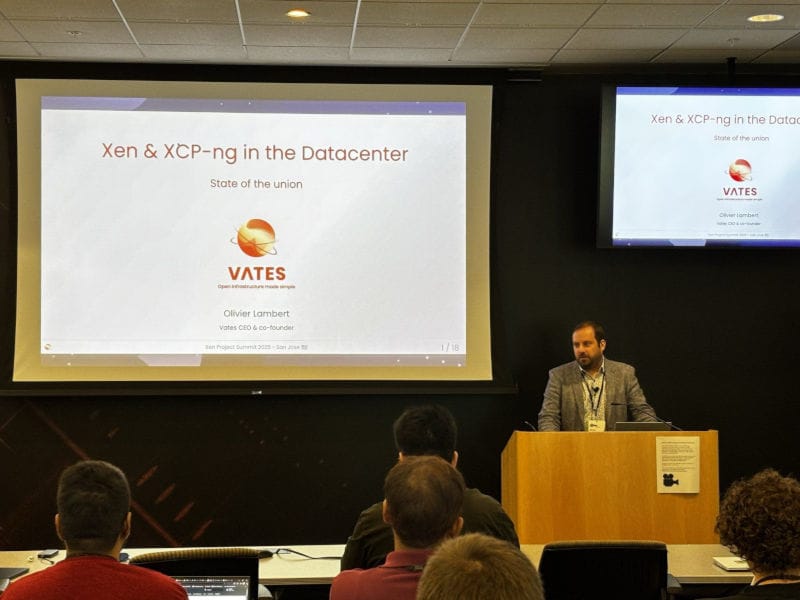
As we have strong commitment in the upstream, we are also discussing security and isolation in a broad way, not just inside the datacenter. That's why we are proud to participate to the Qubes OS Summit.
Unlike previous releases, we'll start with a new section: security.
Npm supply chain attack
Our first VSA was regarding XO. You might have been heard about an npm supply chain attack (npm is the package managed for NodeJS, the engine of Xen Orchestra).
That's why we published a first Vates Security Advisory (VSA) for it, even if we were not impacted (no production dependency was in the list of affected repositories). You can read more details in the VSA:
Even if it happened few releases ago, we wanted to make sure everyone is up to speed, if you use our LDAP plugin.
With the Xen Orchestra 5.107 update, we released a subtle but important security patch, without disclosing too many details at the time. Here’s what was happening: prior to XO 5.107, if you were using the LDAP plugin (auth-ldap) and had misconfigured the ID attribute field in its settings (by specifying an attribute name that doesn’t exist in the user schema), then a user A could have been able to log into Xen Orchestra as another user B (potentially even an admin). In some cases, user B’s username might also have been overwritten with user A’s username, resulting in duplicate usernames in the user list.
Although it’s unlikely this issue occurred on your XOA, let alone went unnoticed, we still recommend following these steps:
Ensure you’re running Xen Orchestra 5.107.0 or later (auth-ldap 0.10.11).
Go to Settings → Users and check for duplicate usernames. If any are found, the account with Admin permissions is most likely the one that needs to be corrected.
Use the permission:admin filter to confirm there are no unexpected users with Admin permissions.
💾 Backup
Since we published our new backup engine, things are going pretty smooth. We are entering a phase of various improvements and fixing details.
Prevent accidental space reclamation
We’ve added a safety check to the space reclamation process. Because reclaiming freed space during active backups can lead to serious issues, Xen Orchestra will automatically block the operation while backups are running.
If you still need to proceed, you can override the protection using the new confirmation dialog:
Dialog box to prevent accidental space reclamation during backups
🥝 Core UI
Core UI is the next-gen common UI for both XO 6 and XO Lite.
Improved UIcollapsibleList Component
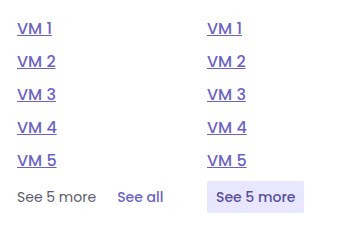
We’ve updated the UIcollapsibleList component across the interface. Previously, the text showing how many extra items were hidden wasn’t clickable—you had to use a separate See all link. Now, you can click directly on the item count to expand the list.
This makes the interaction more straightforward, and the component feels cleaner and more responsive overall.
Updated VM dashboard
We’ve updated the VM dashboard in the core UI to align with our latest designs. The new layout, spacing, and visual elements follow the design specs more closely, which results in a cleaner and more readable interface.
VM dashboard before the updateVM dashboard since the XO 5.111 update
This update doesn’t introduce new functionality, but enhances the overall experience with a more polished and intuitive look.
Error visibility in dashboard cards
Dashboard cards now display an error indicator when the data for a card fails to load. This means you no longer need to sift through logs or secondary views. The problem is flagged right where you’re already looking.
This makes it easier to spot issues quickly and respond without delay.
🛰️ XO 6
Some features of Core UI are exclusive to XO 6, as XO Lite isn't meant to provide all XO features. And this month, it's all about backups!
VM backup jobs table
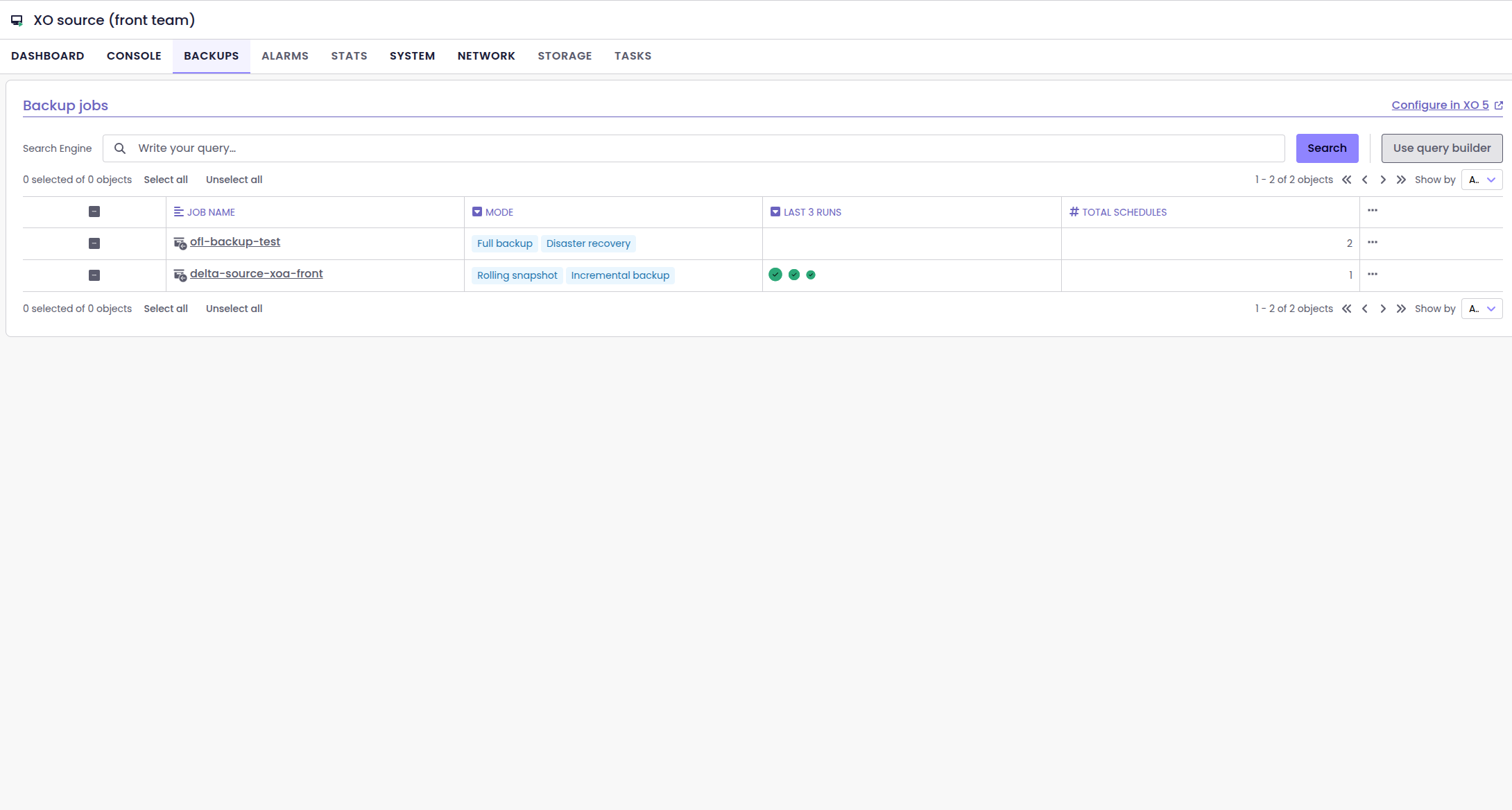
XO6 now features a dedicated table that lists all backup jobs associated with a specific VM. This makes it easy to see which jobs are protecting the VM and how they’re configured.
Table listing a VM's backup jobs
Instead of digging through the global backup view, you can now check everything directly from the VM page, and quickly verify that the right jobs are in place. It’s a small but highly practical improvement for monitoring your backup coverage.
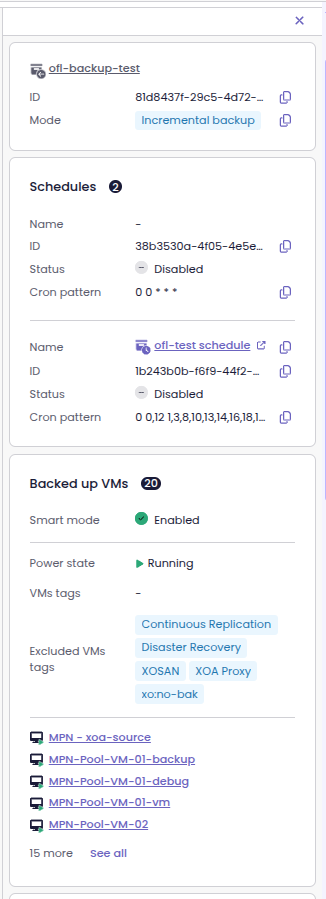
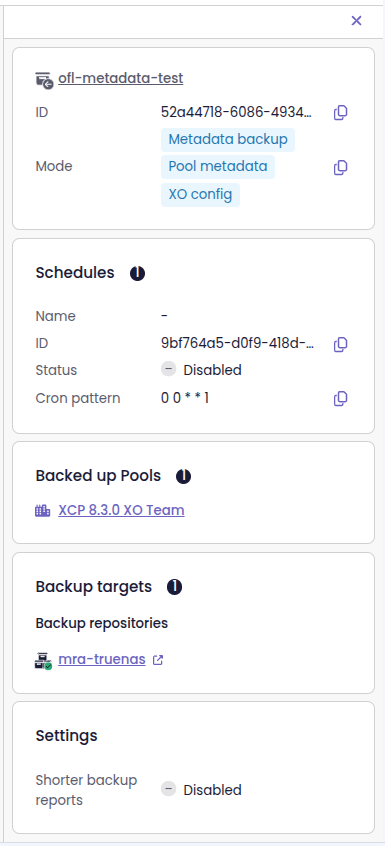
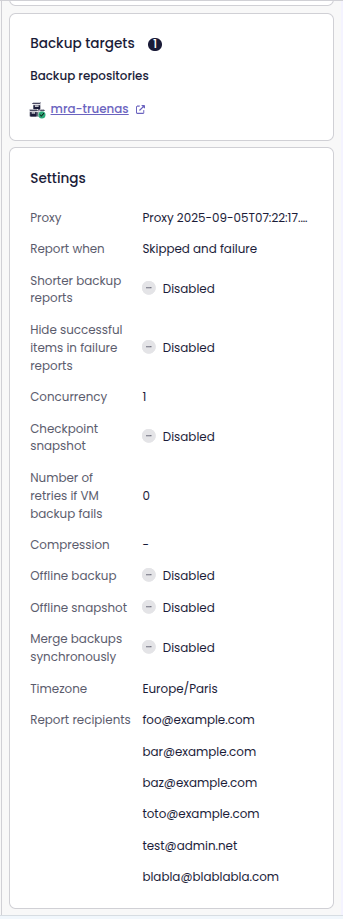
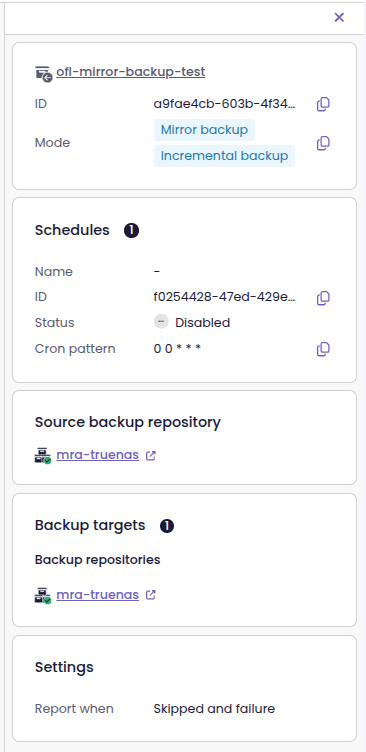
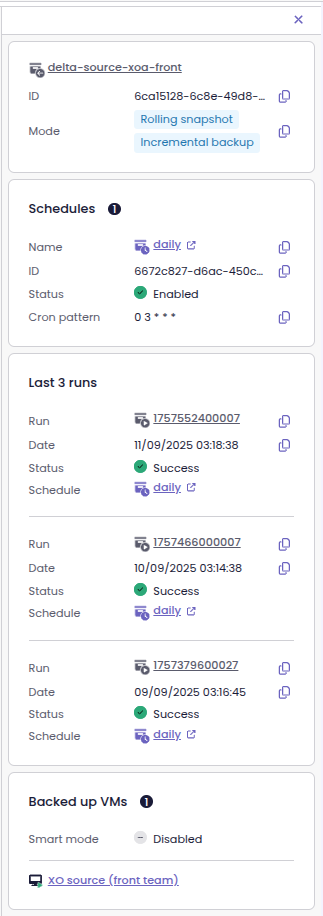
Backup job details in the side panel
Now, as soon as you enter the Backup job view, you can see the backup job details in the side panel. This way, you no longer have to leave the page or open a separate view to get the information.
Backup jobs appearing in the side panel
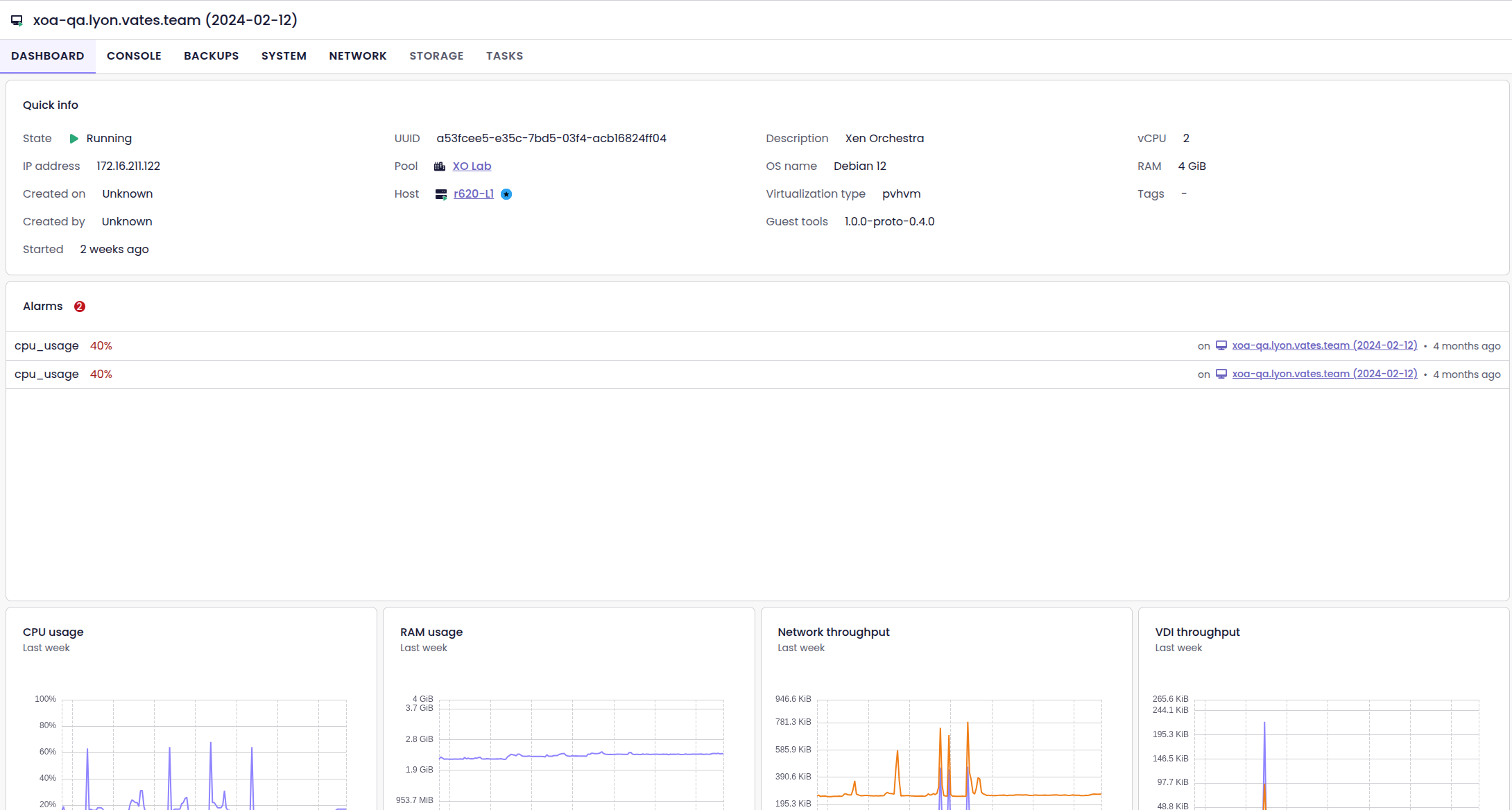
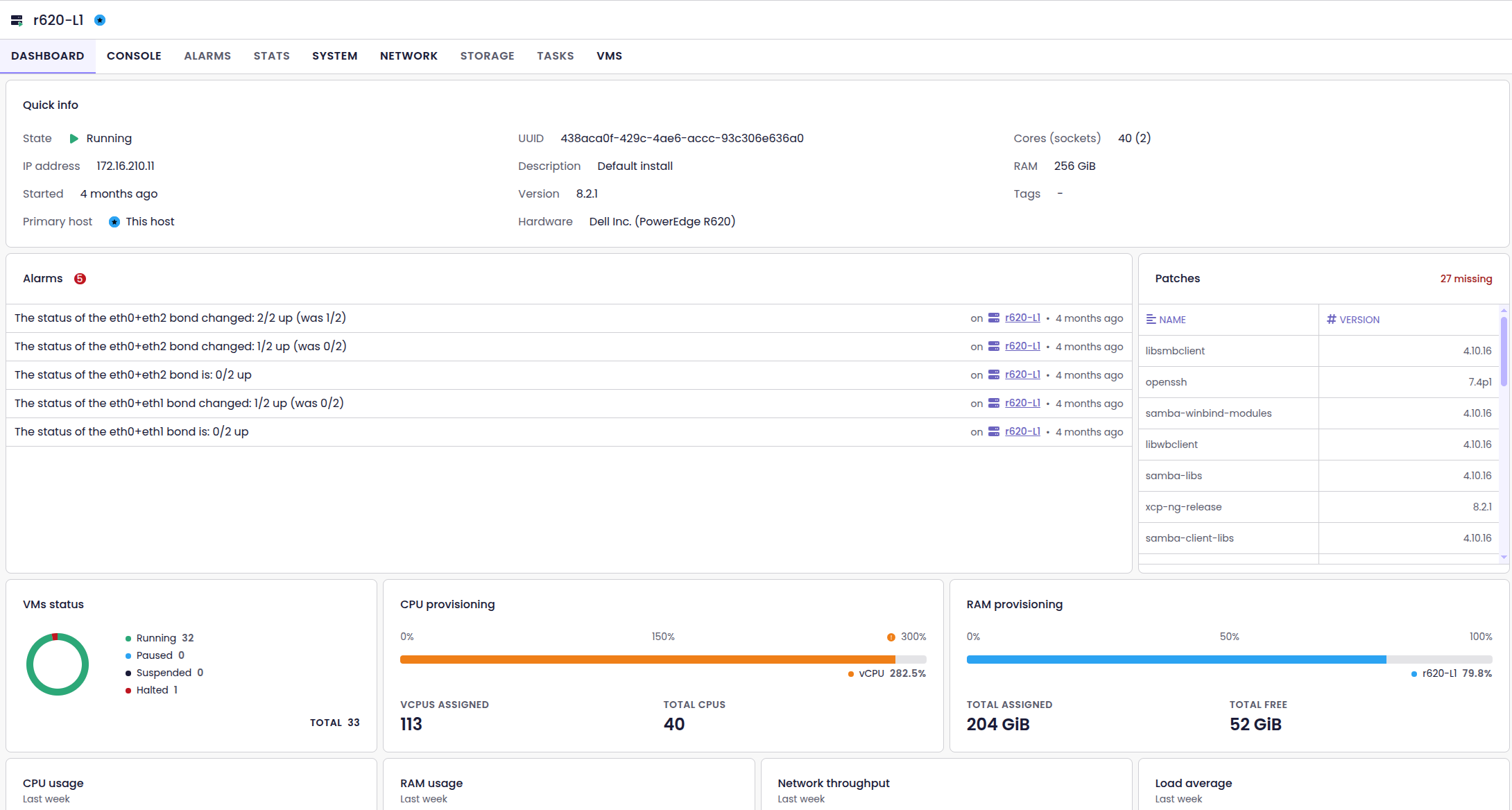
Alarms and patches in dashboards
The dashboards for hosts and VMs now show active alarms front and center. You can see issues immediately, without navigating through multiple screens, so you can respond faster when problems arise.
Also, the host dashboard now includes a dedicated Patches section. You can instantly check applied and missing patches, all without leaving the dashboard.
VM dashboard, with the Alarm sectionHost dashboard, with the Alarm and Patches sections
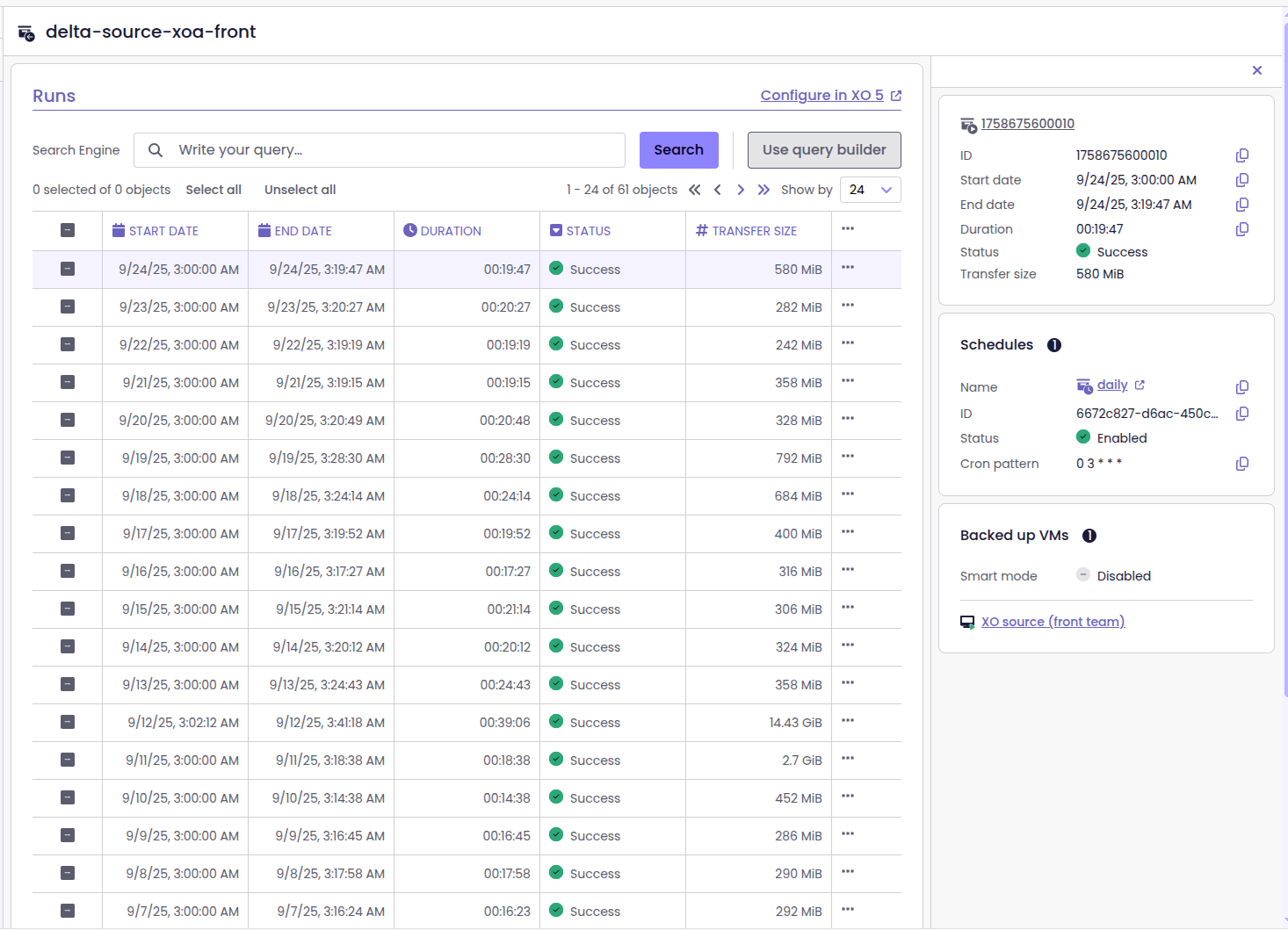
Backup job run list
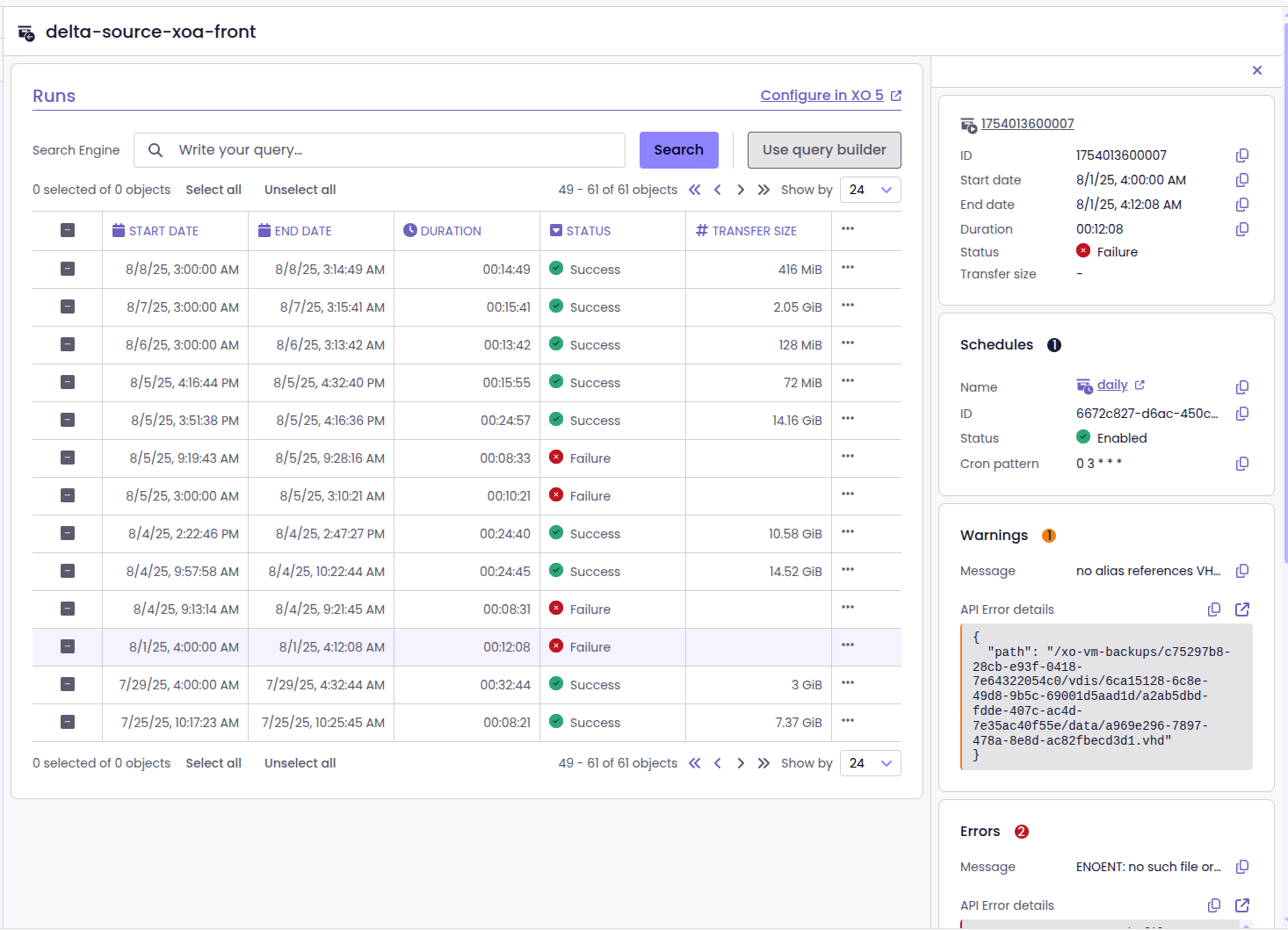
XO6 has a new Runs page, dedicated to backup jobs. You can now see the history of when and how each backup job has run, if the run has succeeded or failed. In addition, you can also access detailed logs for those jobs.
This makes it much easier to monitor backups, identify issues, and verify the protection of your VMs without jumping between screens.
🔭XO Lite
As we are moving forward with Core UI and XO 6, XO Lite is also enjoying new view and features.
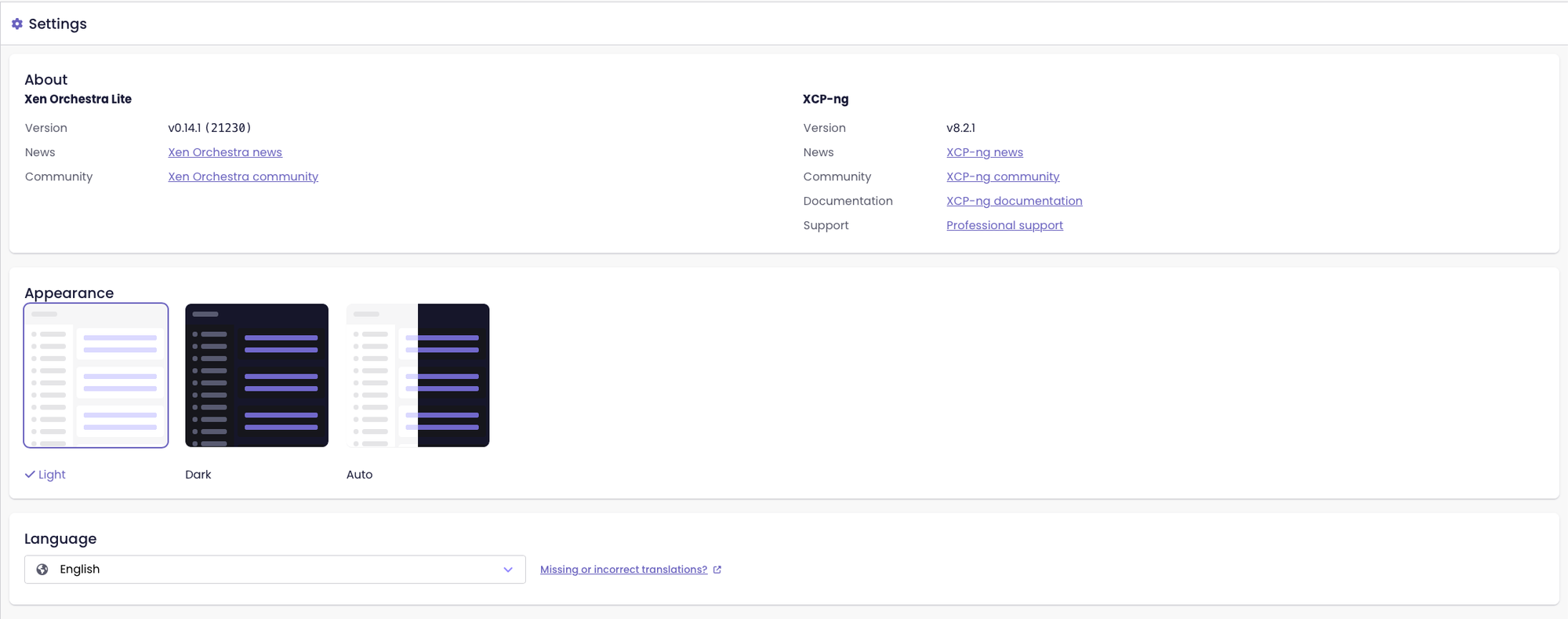
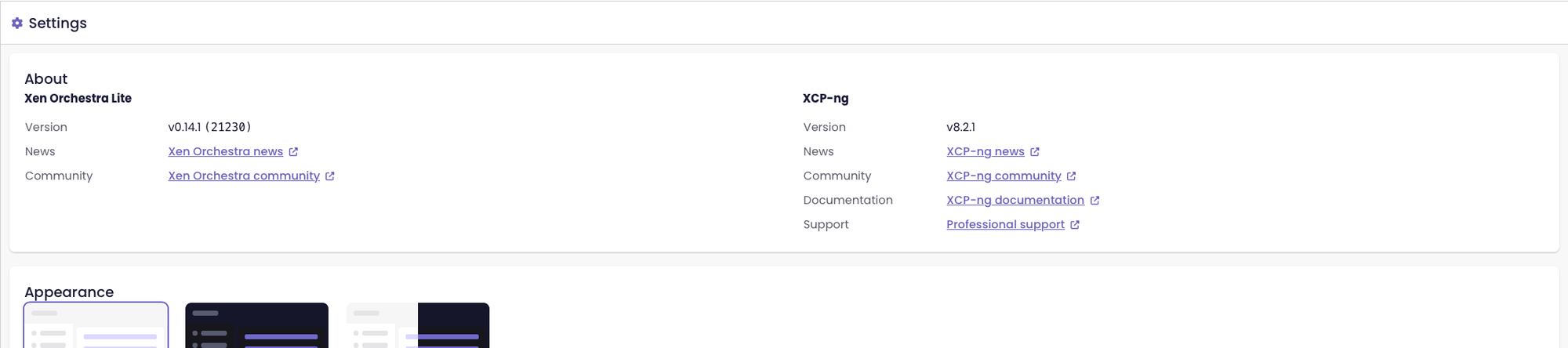
Visual indicator for external links
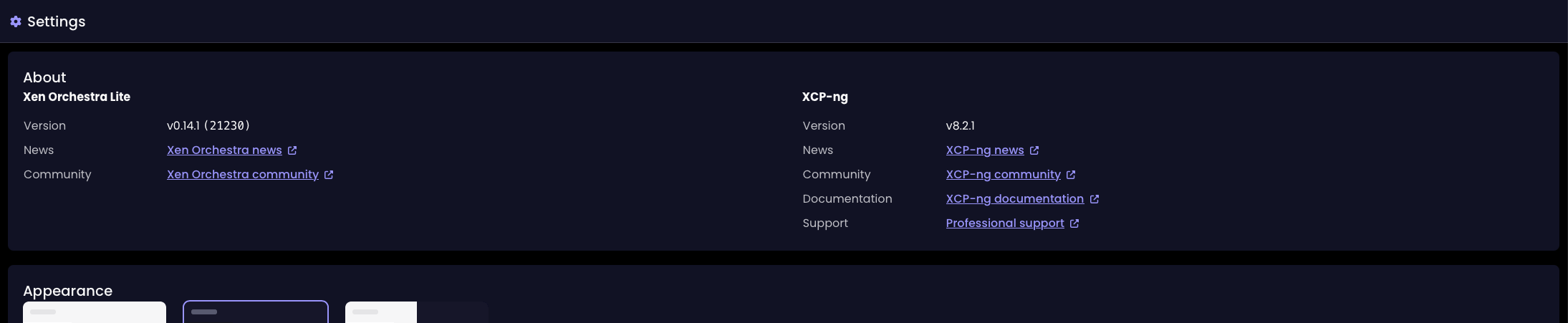
We've made the user experience a little more reliable and consistent, with a little icon that now accompanies all external links. This will clearly signal when the user will navigate outside the application.
External links before the update
External links since the XO 5.111 update
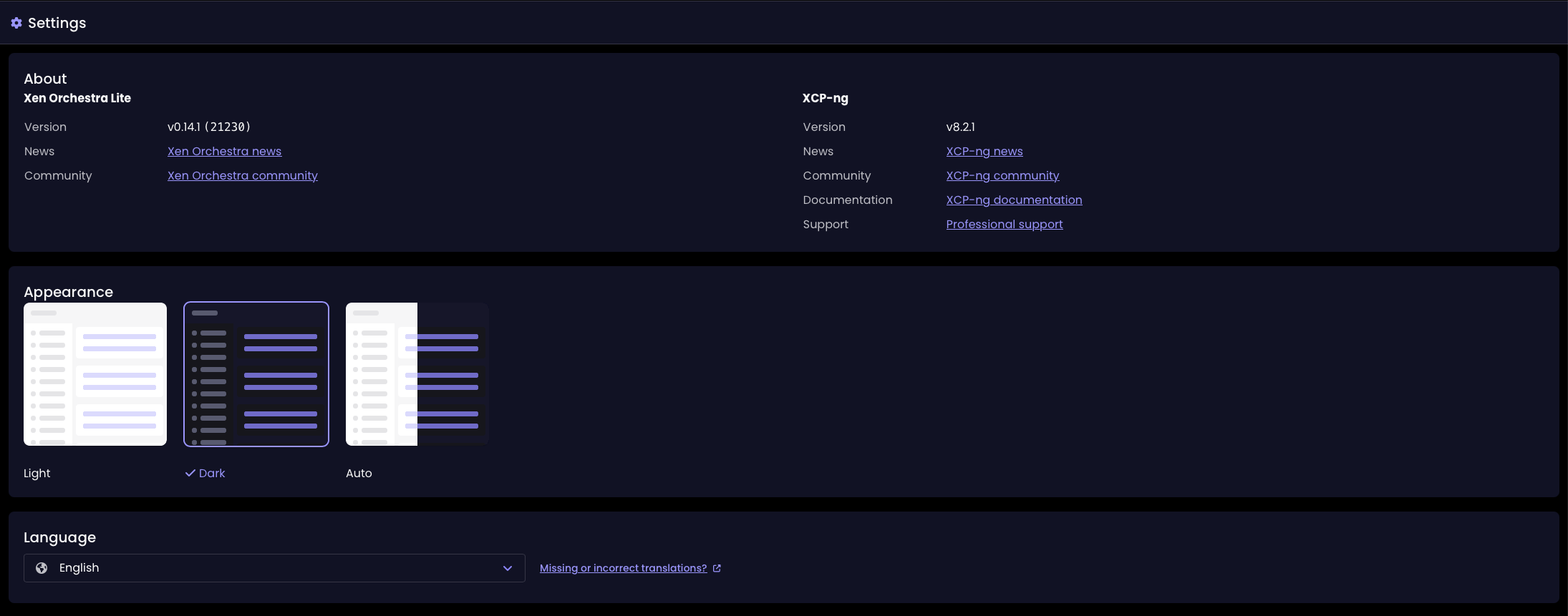
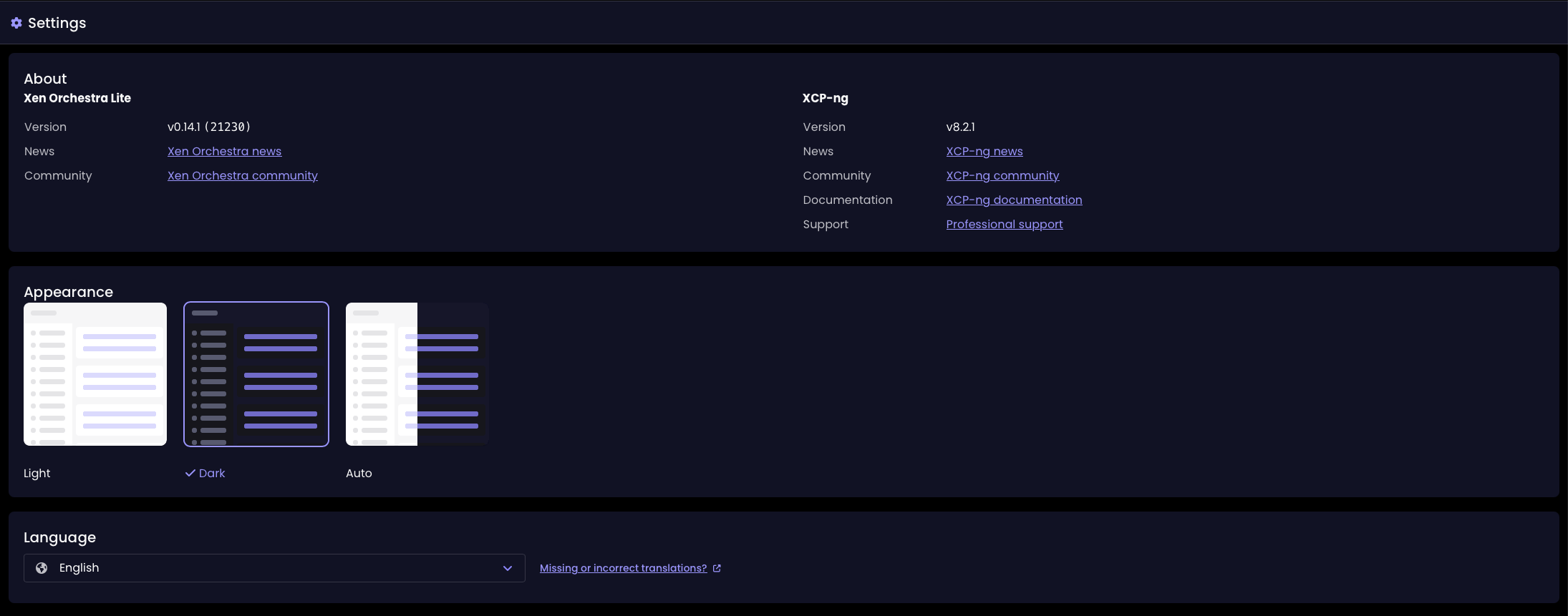
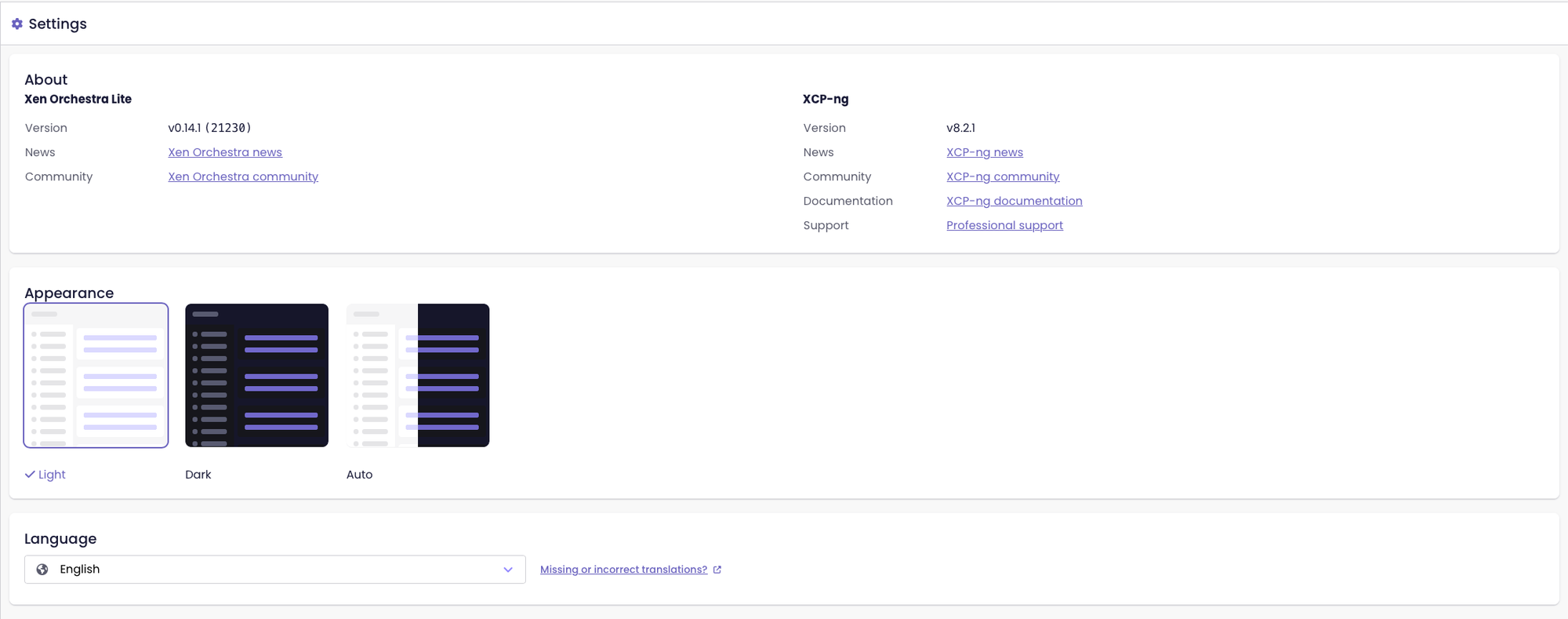
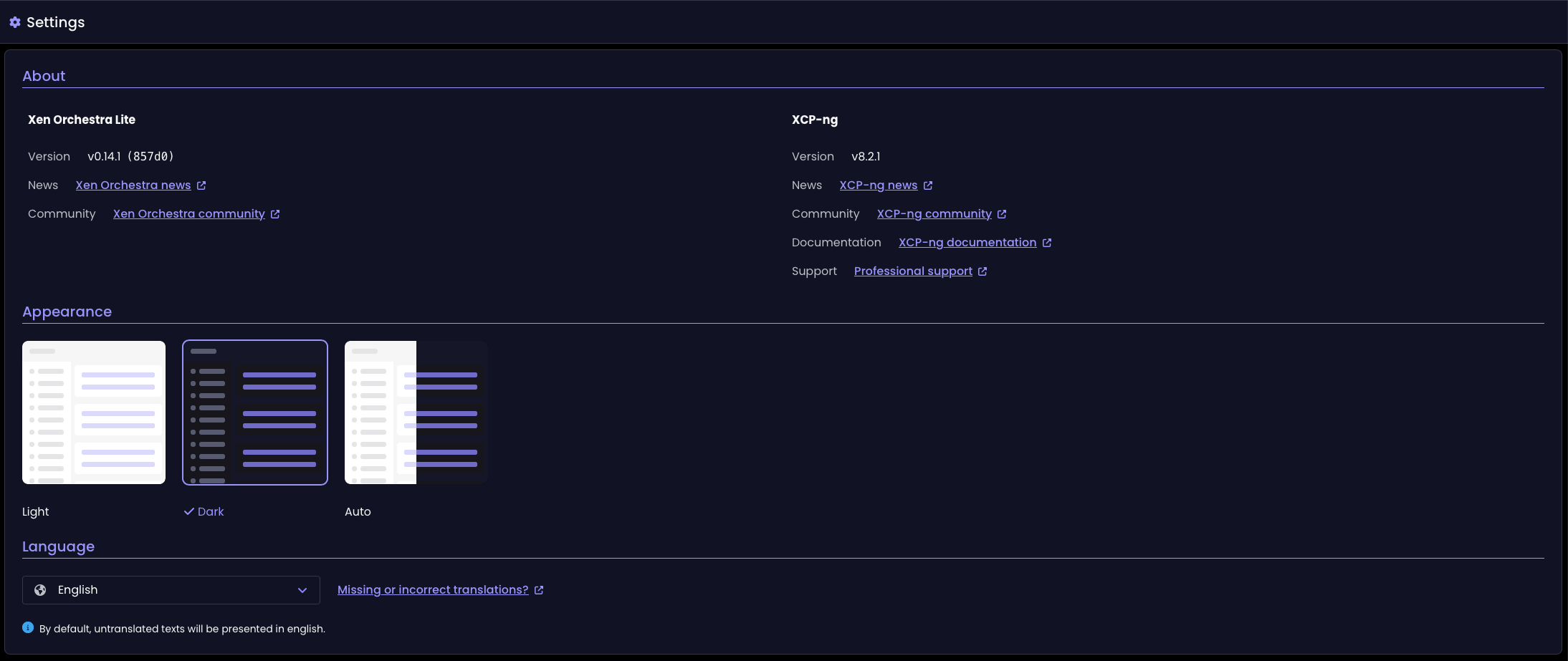
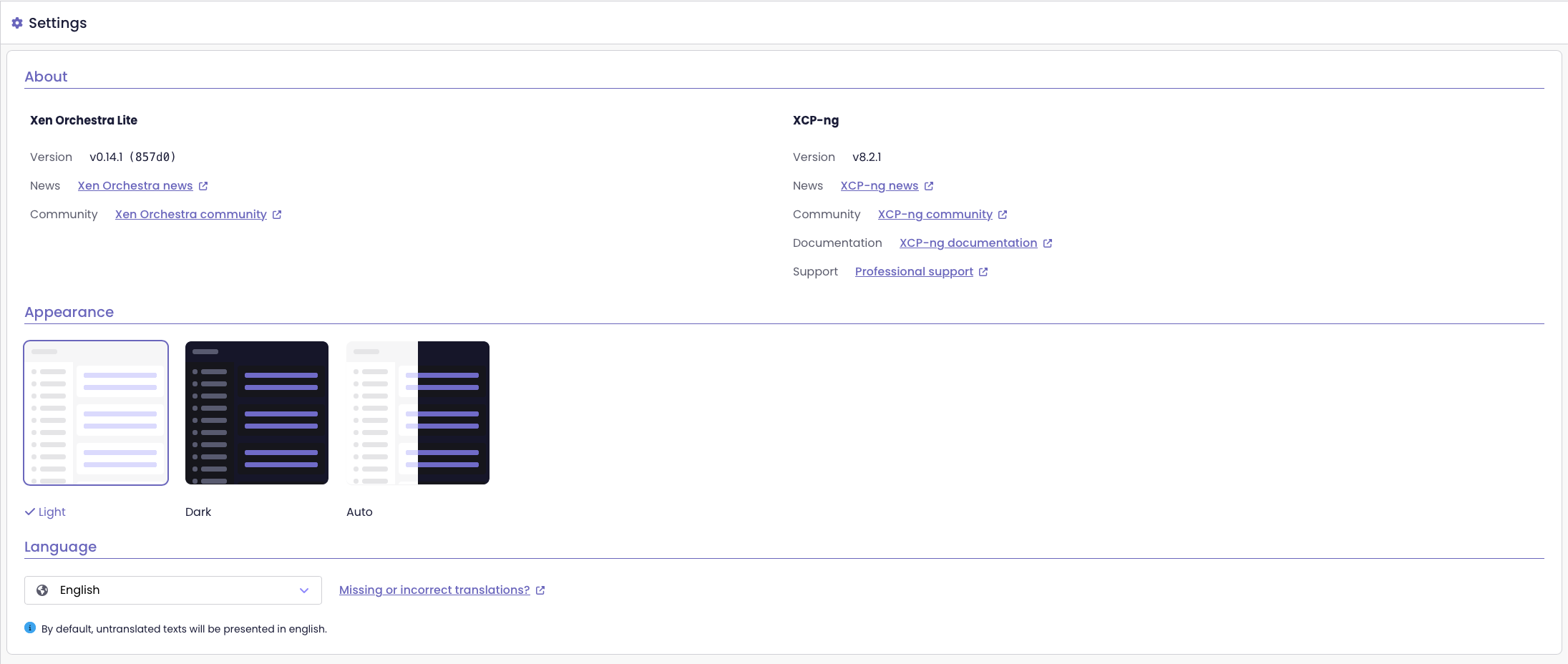
Improved key/value alignment in Settings
The Settings page now shows keys and values aligned naturally, rather than splitting them into separate columns. This small change makes the page easier to read and keeps the layout clean and consistent.
Key/value alignment before the update
Key/value alignment since the XO 5.111 update
🪐 XOA
This month, we are introducing the capability to deploy a partner solution as if it was a Vates product! If you need capacity planning, energy usage overview or even Network flow analysis, you should try it now!
EasyVirt DC Scope and NetScope integration
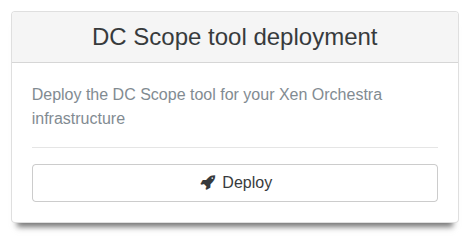
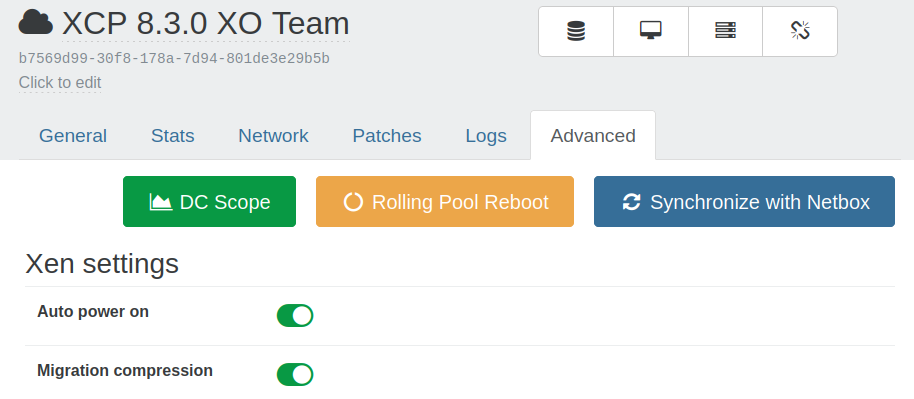
You can now deploy and access EasyVirt’s DC Scope and DC NetScope tools directly from Xen Orchestra. The tools open within XO, so you can access their overviews without switching applications.
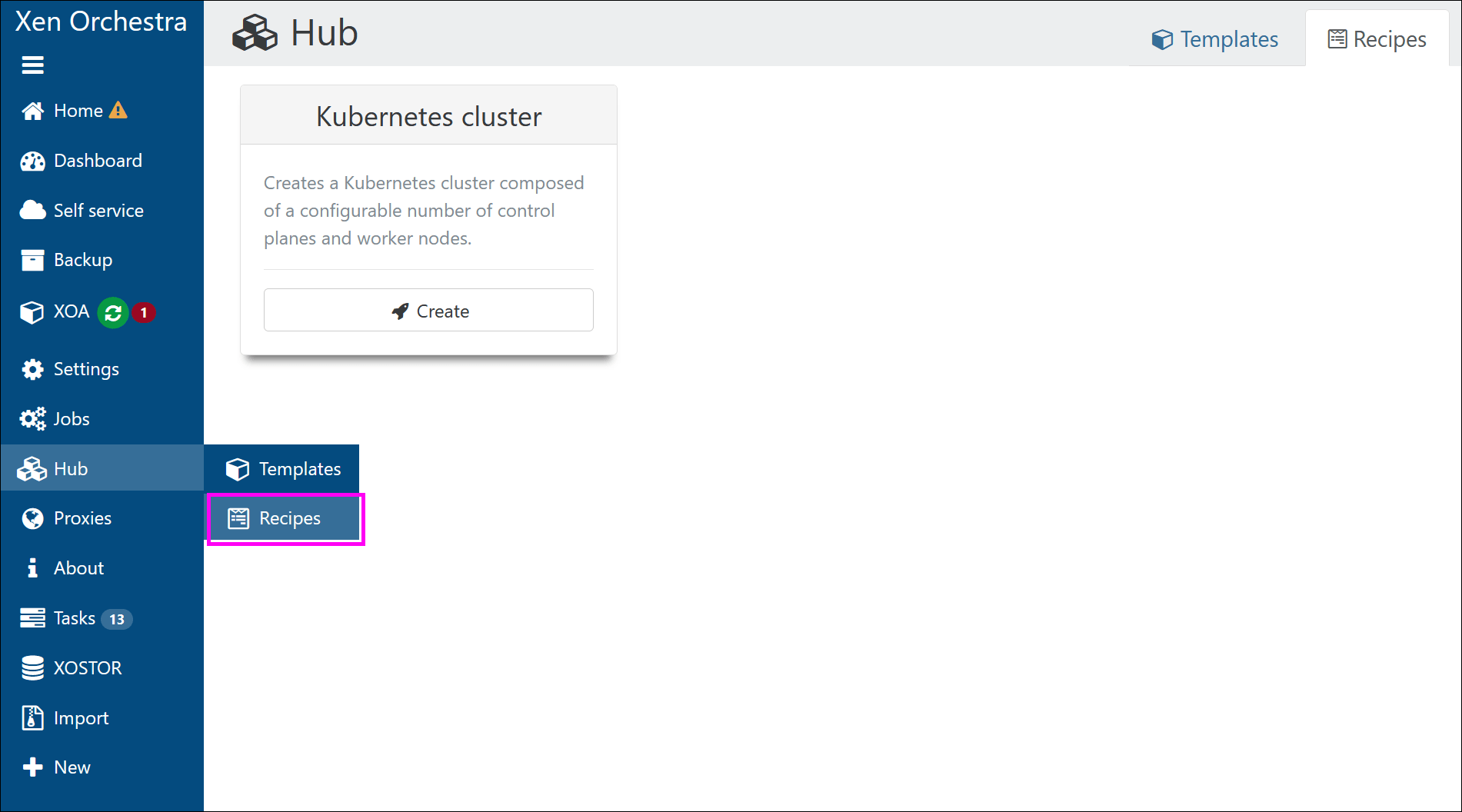
The deployment forms and overview cards appear in the Recipes view for all users, whether on the free version of Xen Orchestra or XOA:
DC Scope deployment card from the Recipes viewNew button to access DC Scope/NetScope instances, from the XO interface
This integration makes it easier to manage, deploy and monitor your infrastructure with EasyVirt’s tools.
📡 REST API
Our REST API is evolving fast, and going to be almost 100% swagger compatible in our next releases.
Deprecated endpoints
Several API endpoints for backups and restores are now deprecated and will be removed in one year.
If your integrations rely on these endpoints, you’ll need to update them before the removal date.
Affected endpoints:
GET /rest/v0/backup/jobs/vm
GET /rest/v0/backup/jobs/vm/<backup-job-id>
GET /rest/v0/backup/jobs/metadata
GET /rest/v0/backup/jobs/metadata/<backup-job-id>
GET /rest/v0/backup/jobs/mirror
GET /rest/v0/backup/jobs/mirror/<backup-job-id>
GET /rest/v0/backup/logs
GET /rest/v0/backup/logs/<backup-log-id>
GET /rest/v0/restore/logs
GET /rest/v0/restore/logs/<restore-log-id>
What to use instead:
Replace /backup/jobs/vm, /backup/jobs/metadata, and /backup/jobs/mirror with /rest/v0/backup-jobs.
Replace /backup/logs with /rest/v0/backup-log.
Replace /restore/logs with /rest/v0/restore-logs.
Be sure to update your integrations before these endpoints are removed!
Endpoints moved to Swagger
Several existing endpoints have been moved to Swagger. Here's the full list:
DELETE /rest/v0/tasks
DELETE /rest/v0/tasks/<task-id>
DELETE /rest/v0/vms/<vm-id>
DELETE /rest/v0/vm-templates/<vm-template-id>
DELETE /rest/v0/vm-snapshots/<vm-snapshot-id>
DELETE /rest/v0/vdis/<vdi-id>
DELETE /rest/v0/vdi-snapshots/<vdi-snapshot-id>
POST /rest/v0/tasks/<task-id>/actions/abort
POST /rest/v0/srs/<sr-id>/vdis
GET /rest/v0/vdis/<vdi-id>.(raw|vhd)
GET /rest/v0/vdi-snapshots/<vdi-snapshot-id>.(raw|vhd)
GET /rest/v0/vms/<vm-id>.(xva|ova)
GET /rest/v0/vm-templates/<vm-template-id>.(xva|ova)
GET /rest/v0/vm-snapshots/<vm-snapshot-id>.(xva|ova)
GET /rest/v0/groups/<group-id>/users
GET /rest/v0/users/<user-id>/groups
GET /rest/v0/users/me
GET /rest/v0/users/me/*
GET /rest/v0/vms/<vm-id>/messages
GET /rest/v0/users/<user-id>/authentication_tokens
GET /rest/v0/vms/<vm-id>/tasks
GET /rest/v0/vm-snapshots/<vm-snapshot-id>/messages
GET vm-templates/:id/messages
We've also added brand new endpoints to Swagger: /rest/v0/proxies and/rest/v0/proxies/<proxy-id>
This update makes it easier to test the REST API, and brings us closer to having it fully documented and accessible in Swagger.
For more details on the migration of the API documentation to Swagger, see the initial announcement from the XO 5.104 release:
We continue to move forward on DevOps tools. Getting the initiative and doing it ourselves is a lot of work, for sure, but also the guarantee of the quality level we can bring you, instead of relying only on community maintained plugins or tools.
Terraform Provider is now available in version 0.35.1:
3 bugs fixed making template and VM creation a lot easier. We also worked on the library which is the foundation of our Go providers, the Golang SDK. You can now have more logs by using TF_LOG_PROVIDER=DEBUG.
🐦 VMware to Vates (V2V)
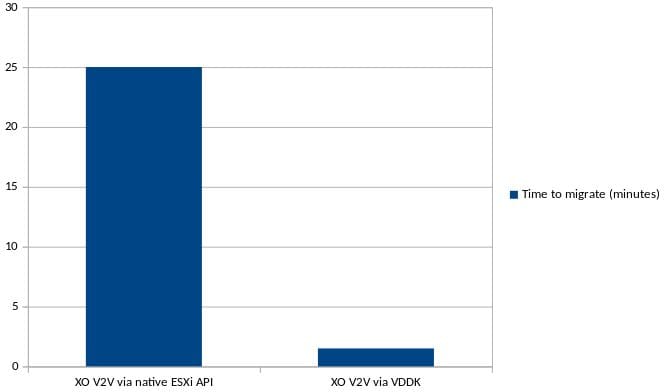
It's been a month since we had our new V2V engine, using VDDK, considerably accelerating the migration, and allowing warm migration. This code is now landing in stable as it was working great!
Don't forget to take a look at our previous announcement for all the details:
As a quick reminder, the performance difference with VDDK is really huge:
We also vastly improved the documentation on how to migrate from VMware with a brand new detailed V2V guide, see below.
📖 Documentation & guides
Having a good documentation is an important part of doing a good product. That's why we are committed to provide, each month, a recap on the work we are doing regarding the documentation.
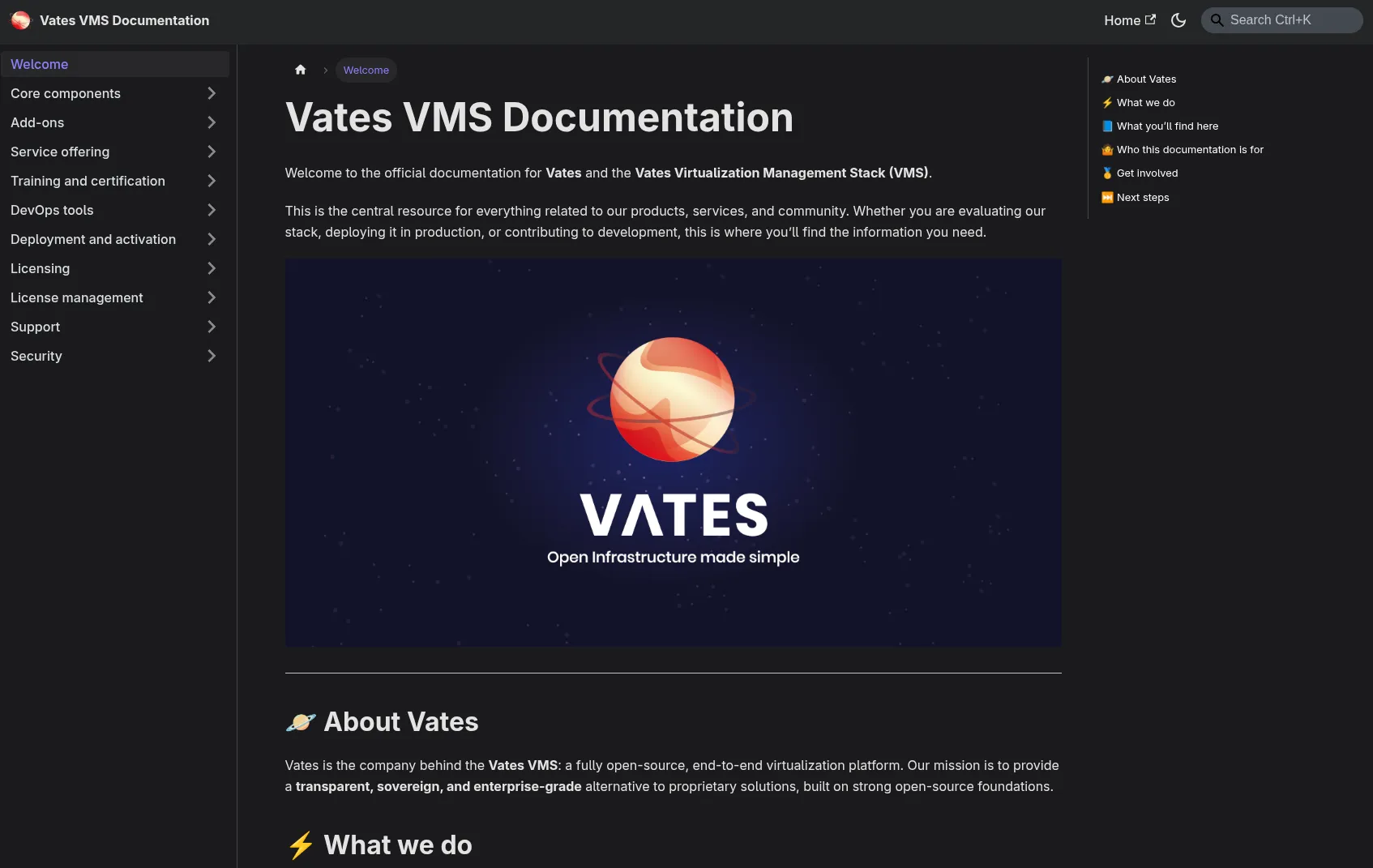
Introducing the Vates VMS documentation
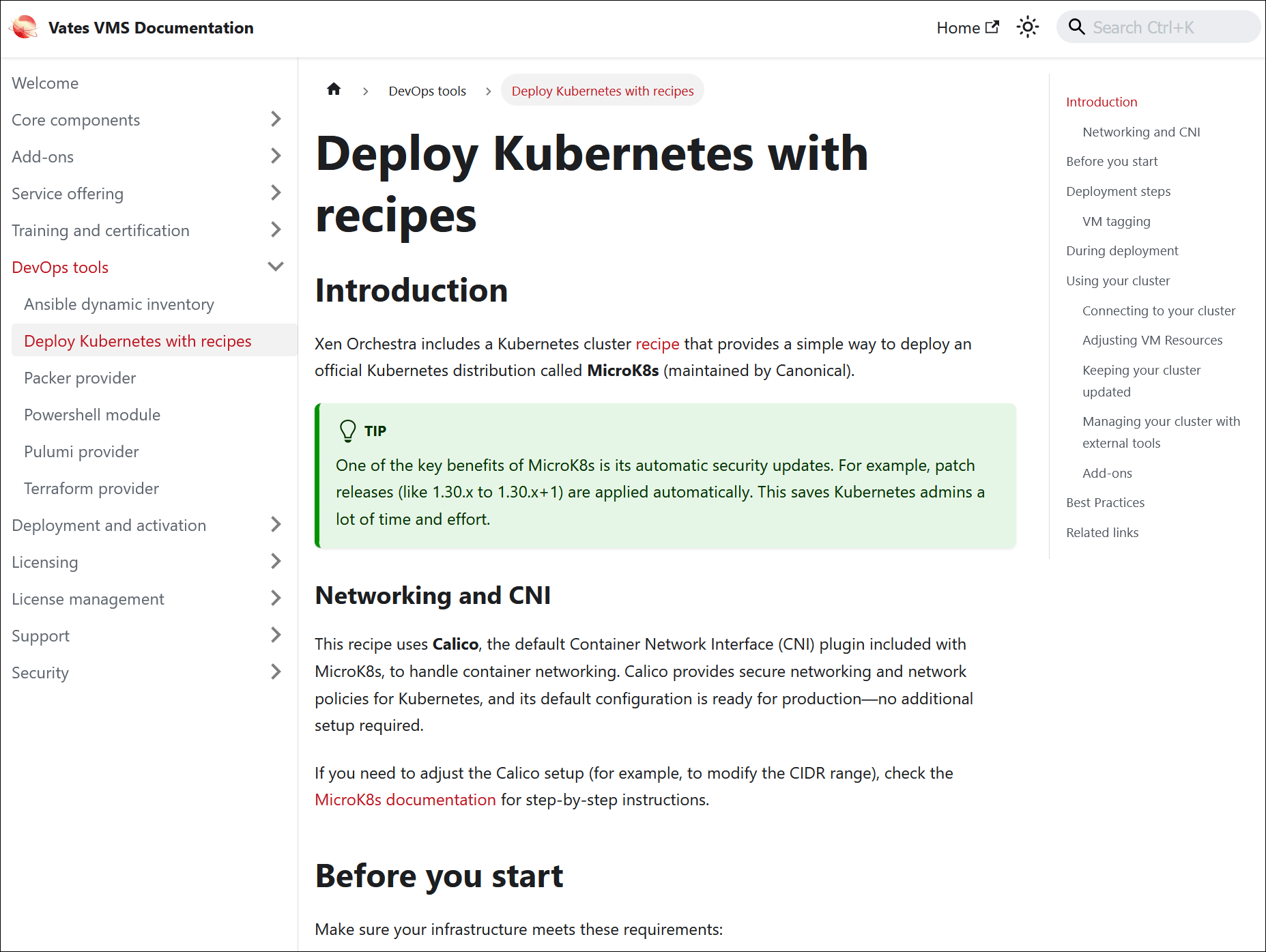
We’ve launched a new documentation site for the Vates Virtualization Management Stack (or Vates VMS).
Since our products are deeply interconnected, we needed a centralized resource to cover topics that span across multiple solutions, without tying them to any single product’s documentation.
Preview of the Vates VMS documentation
The site provides a clear overview of our products and services, along with general guides on cross-cutting topics. It’s designed as a starting point for anyone looking to understand what Vates offers, and how our solutions work together. However, it doesn’t replace the existing technical docs for Xen Orchestra or XCP-ng, which are still available at their usual locations.
Some sections are still being filled in, but we’ll continue to expand it over time.
You can check out the Vates VMS documentation here:
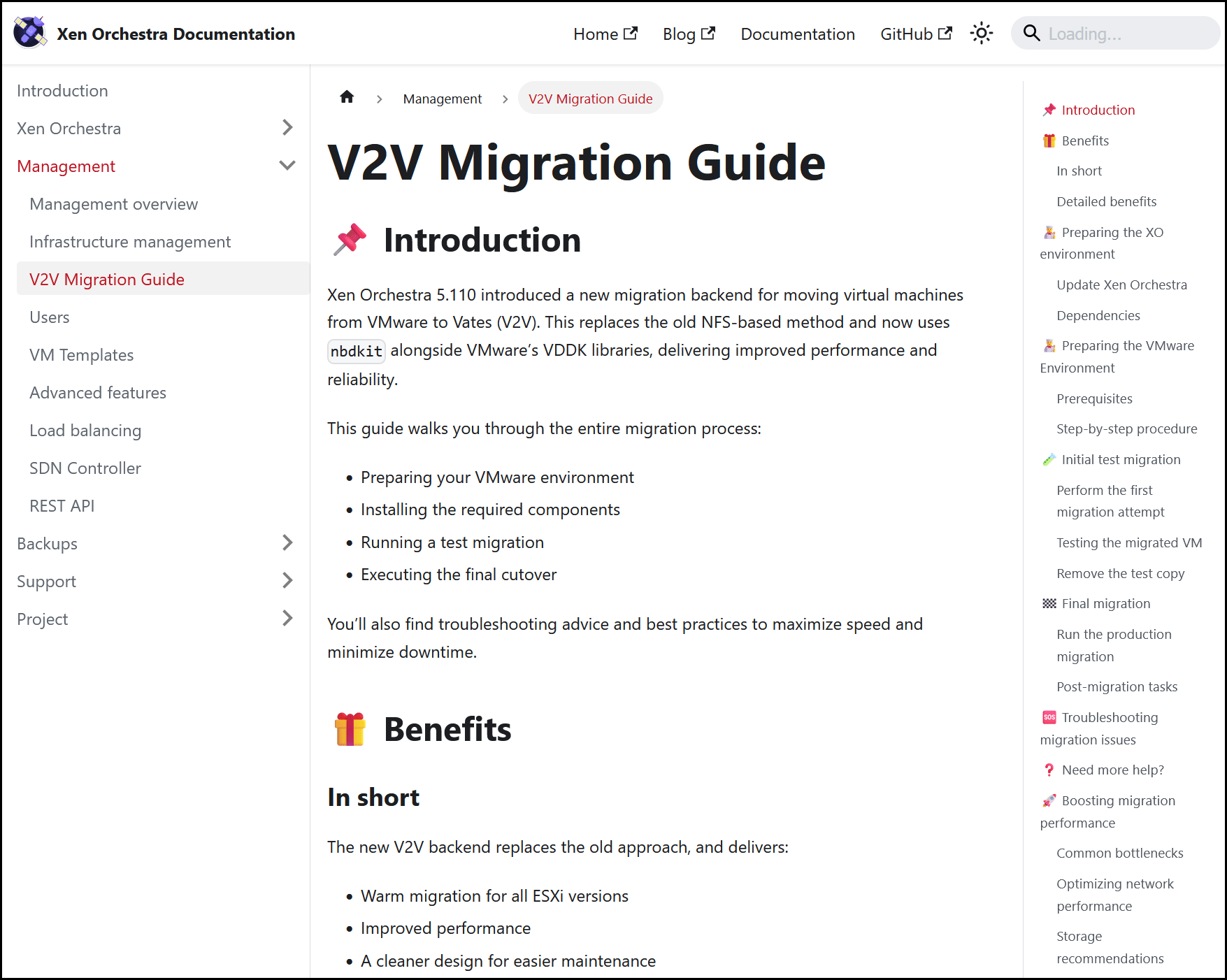
We've published a new guide in the Xen Orchestra documentation! It will help you migrate your VMs from VMware to a Vates stack, without any issues. The guide covers the important steps, good practices and key factors to reduce downtime and make this process as seamless as possible.
Preview of the new V2V migration guide
The V2V migration guide guide expands our documentation with practical, up-to-date guidance for organizations looking to move away from VMware.
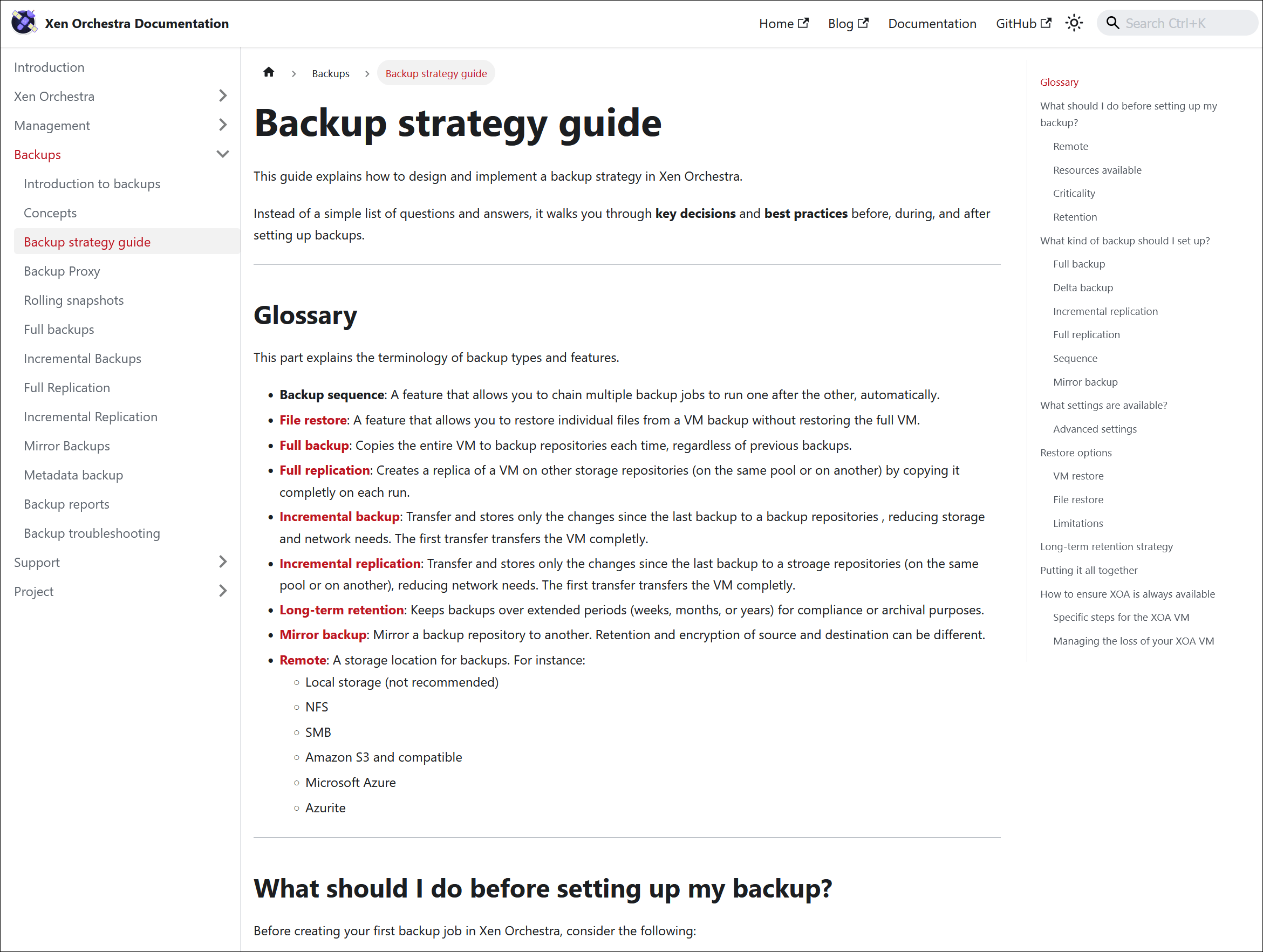
We just added a guide to the XO documentation, designed to help you formulate a good backup strategy.
It walks you through some of the key decisions, including which backup type to choose and how to determine your retention strategy, so you can keep your data safe and recoverable.
Preview of the backup strategy guide
This guide is a practical resource for anyone setting up or reviewing their backup policies. We’ll continue to update and expand it over time, based on feedback and new best practices.
The Advanced Features page in the Xen Orchestra documentation has a new section dedicated to Recipes. This section explains what Recipes are and what they do (in short: you can use them to automate your VM deployments):
For advanced users, the section also links to the new Vates VMS documentation, where you’ll find a step-by-step guide on using Recipes to deploy a full Kubernetes environment, in just a few clicks:
You can access the Kubernetes deployment guide directly, by clicking the link below:
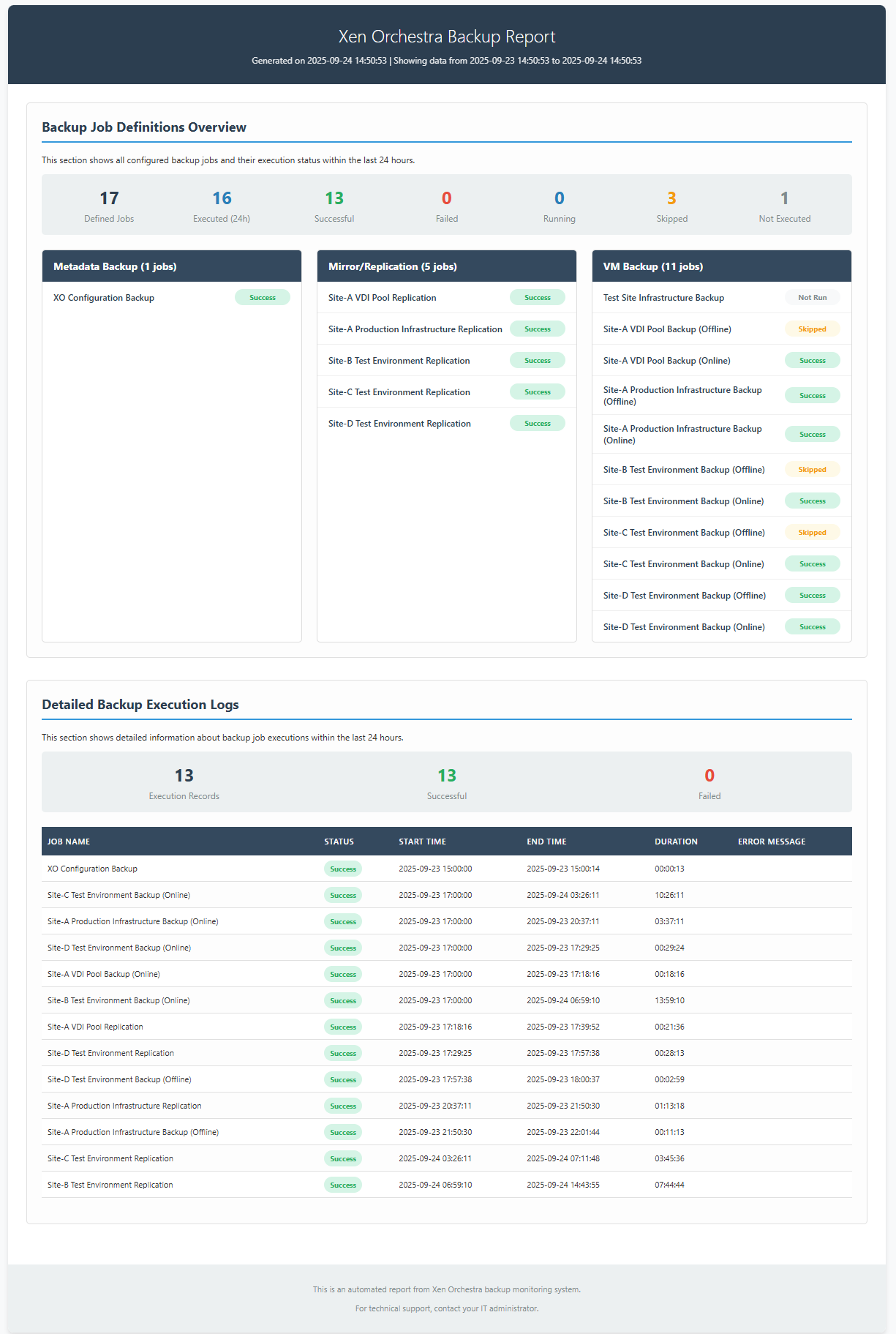
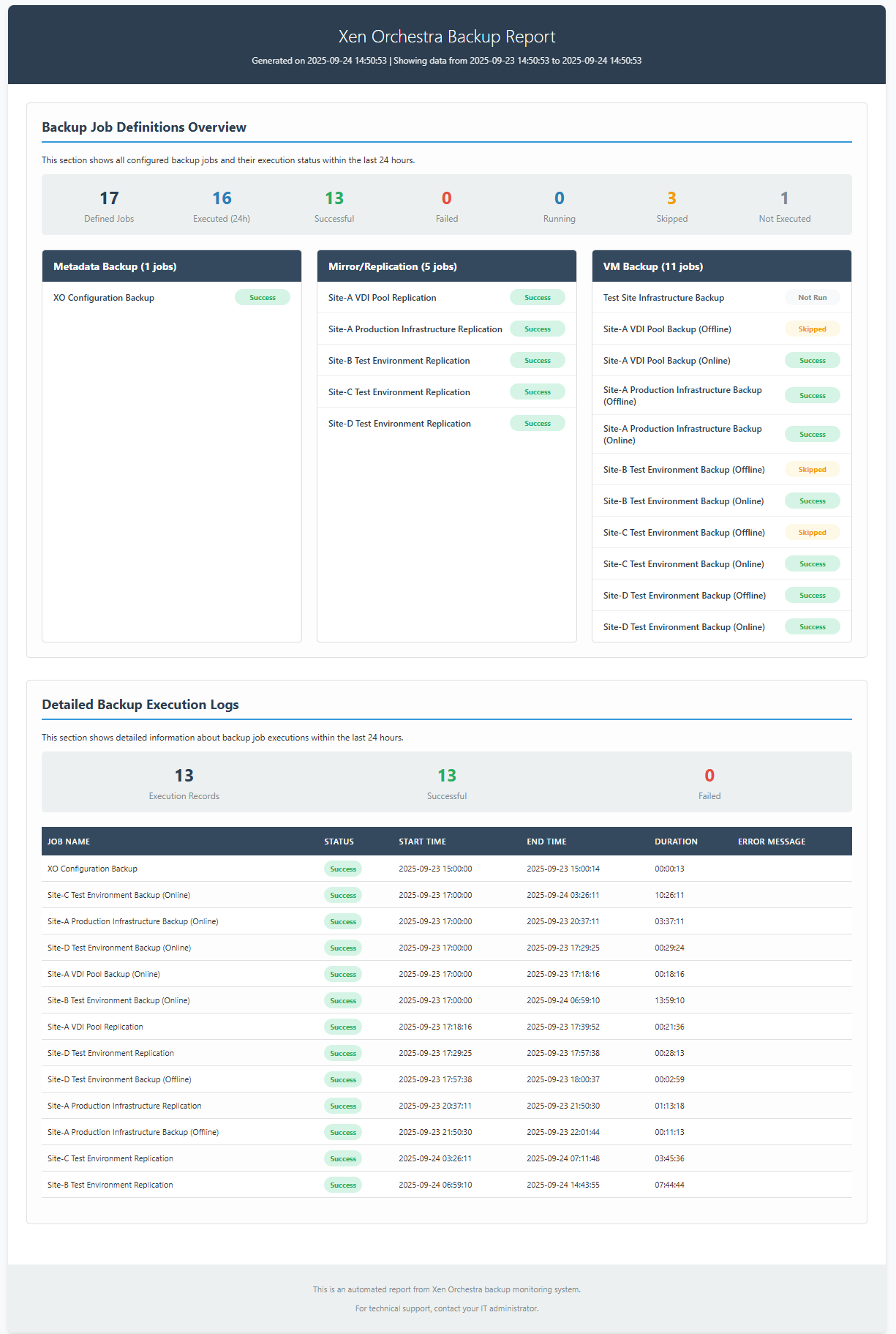
It was a huge success and we have many users now. Some are already building cool things on top of it, for example a script used to do a custom backup report:
You can find the dedicated thread on our forum and the author, tmk, in here:
I know, September is the big "back to school", but still, the sheer size of the "Misc" section deserve a big kudo to the XO team!
SSH keys in CloudConfig templates
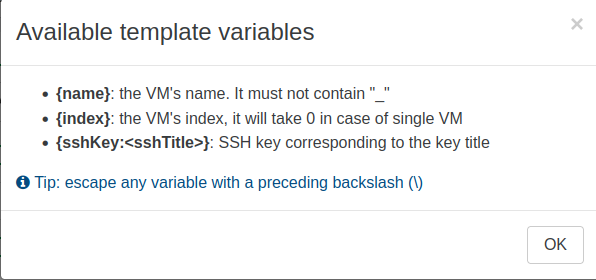
We’ve added a new sshKey variable to Cloud config templates. Previously, you could already inject your public key when launching a VM, but this update simplifies the entire process. You'll no longer have to manage multiple versions of the same template.
It’s a simple way to keep your configuration tidy and ensure secure access right from the start.
New sshKey variable in the template selector
Configurable import timeout
You can now set a custom timeout when importing a VM from a URL. This feature was added in response to partner feedback requesting more flexibility for lengthy transfers.
💡
Our partner and Public Cloud provider Cloud Temple, is using a large S3 storage acting as a central place for all their VM templates (generated via Packer). When they are deploying new pools, they are importing dozens of templates at once, and in parallel. This created some timeout on our HTTP library, so we made it configurable, and everyone is happy now!
To configure the timeout, use the following parameter:
[jsonrpc-api]
xvaImportFromUrlTimeout = '6s'
By adjusting the timeout to match your environment, you can prevent unexpected failures during large or slow downloads, ensuring a smooth import process every time.
Removing Jest and unused dependencies
We've removed Jest and a few related dependencies from the codebase. They were no longer in use but they still lingered in our stack. Dropping them shrinks the overall dependency footprint and reduces the potential attack surface.
This cleanup doesn’t affect how you use Xen Orchestra, but it makes the project lighter and more secure behind the scenes.
Natural sorting for PIFs and VIFs
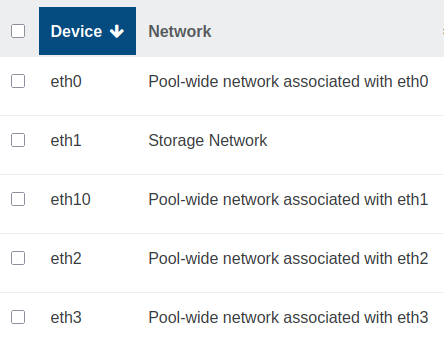
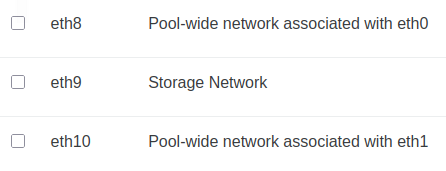
Physical interfaces (PIFs) and virtual interfaces (VIFs) are now sorted naturally. This means names like eth2 will appear before eth10, instead of being ordered alphabetically as plain text.
PIF sorting before the updatePIF sorting since the XO 5.111 update
This small change makes scanning and selecting interfaces much more intuitive, especially when managing hosts with multiple NICs.
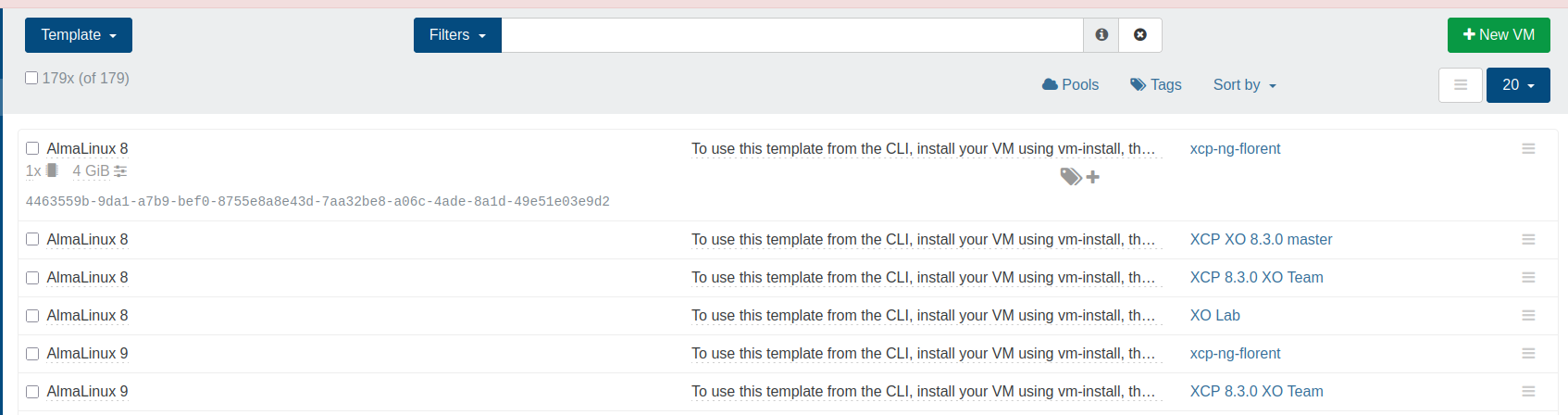
Template UUIDs visible in the list view
The template list now displays each template's UUID, next to its name. This makes it easier to find the exact template you’re working with , especially when many of the templates have similar names. This is small update will help you work faster, while minimizing mistakes.
Template UIDs in the template list view
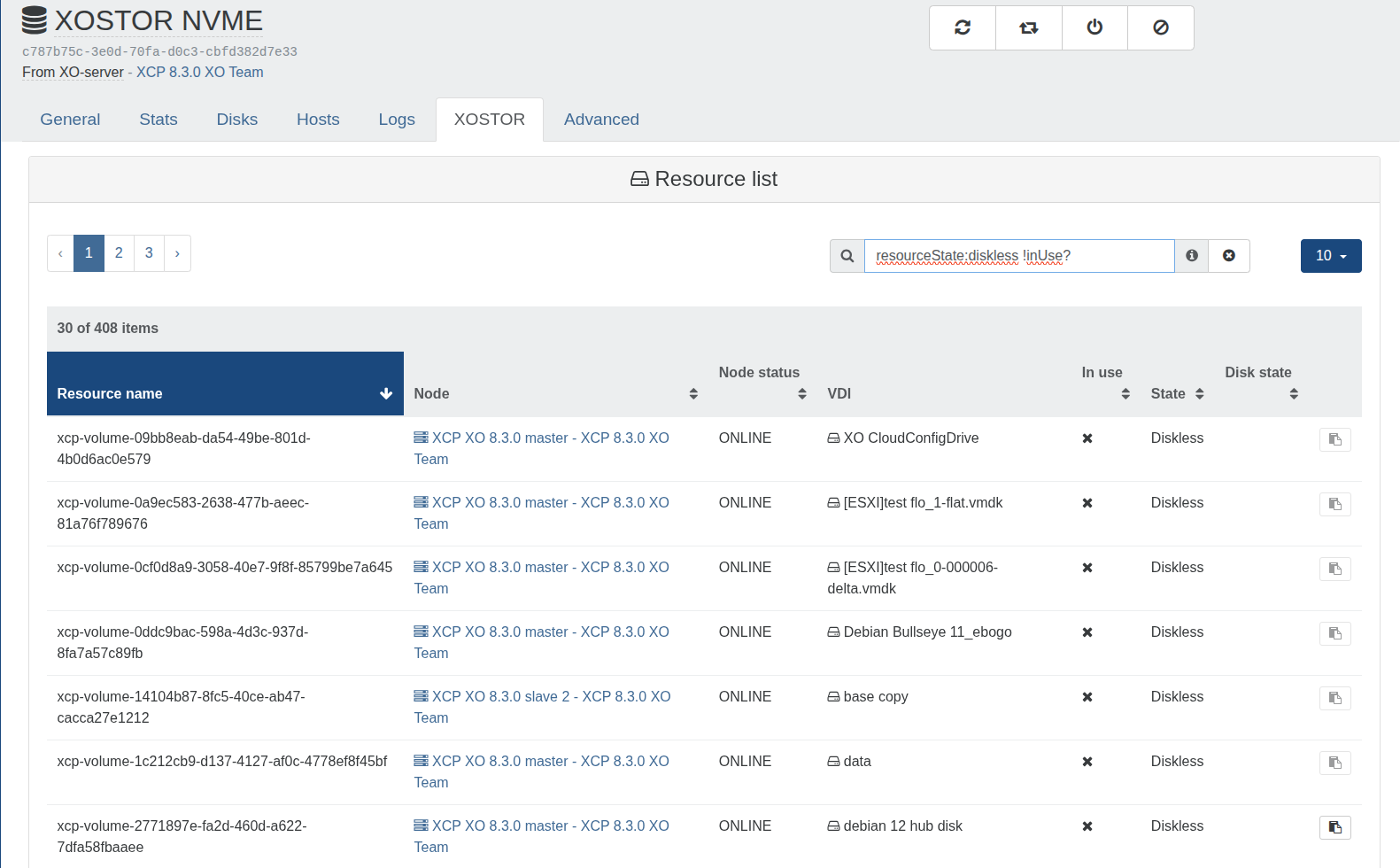
XOSTOR - Tie breaker status
XOSTOR now display resources without an associated volume. This includes tie-breaker and diskless ressources, which simplifies troubleshooting and advanced usage.
Resource list with a custom filter, to show diskless resources in use