HashiCorp Vault users need to have continuous answers to questions like:
- What secrets and certificates do we have?
- What do we know about them?
- Do any of them require action?
Typically this is done by collecting and analyzing logs, or additional visibility tools in HCP Vault Dedicated. Now, HCP Vault users have access to additional visibility and reporting capabilities with certificates and secrets inventory reporting, a new feature set now available in beta.
These new dashboards visualize access patterns, secret usage, and policy adherence for improved compliance and reporting. Learn more about these features in this post.
The reporting gap in secrets and certificate management
Teams need to understand what secrets and certificates exist, where they’re used, who owns them, and whether they comply with policy. When that information is spread across fragmented silos, risk assessment becomes impossible and audits turn into a scramble.
Teams can spend weeks, or months, tracking down certificate details across multiple systems and manually reconciling inconsistent records. In many cases, they end up building custom integrations or stitching together multiple tools just to assemble the evidence auditors need, pulling time and budget away from higher-value security and platform work.
This pressure is especially high in regulated industries such as finance, insurance, and government. Regulatory frameworks increasingly require organizations to show demonstrable control over sensitive credentials and the systems that rely on them. Without reliable reporting, proving that control becomes a recurring fire drill.
Centralizing secrets and certificate management on one security platform with standardized workflows and policy is the first step to fixing this gap, but that security platform also needs great reporting features, or you’ll still be scrambling.
Secrets and certificates inventory reporting features
Secrets and certificates inventory reporting provides a comprehensive view of all secrets managed by Vault, giving teams the ability to drill into critical details with:
- Full inventory visibility: Understand what secrets exist, where they live, and how they're distributed across your environment
- Lifecycle insights:
- Identify risky, long-lived secrets
- Evaluate when a secret was last accessed or rotated
- Make informed decisions about lifecycle management using data to drive decisions as well as policy
- Advanced filtering: Explore secrets by type, distribution, and access patterns to pinpoint areas that need attention
- Exportable data: Export reports in CSV and JSON formats to feed into compliance workflows, SIEM tools, or GRC platforms like ServiceNow
These features go beyond simple dashboards, with actionable intelligence that helps security teams end reactive bad practices and become fully proactive at identifying risks and demonstrating compliance (without the manual overhead).
Inventory reporting availability
Secrets inventory reporting is available for Azure and AWS clusters for HCP Vault Dedicated customers. Customers can toggle on reporting for new and existing clusters.
Inventory reports are supported for the following secrets engines:
- Key-Value secrets engine v1
- Key-Value secrets engine v2
- Database secrets engine
- PKI secrets engine
Certificates inventory reporting is available for the following certificate types:
- SCEP
- ACME
- Vault self-signed certificates
We plan to support additional credentials in the near future.
How inventory reporting supports CISOs, GRC analysts, and security engineers
Secrets and certificates inventory reporting is designed for the team members who live at the intersection of security and governance:
- The CISO preparing a board presentation on risk reduction — they need a simple, single pane of glass
- The GRC analyst who needs to quickly compile evidence for an audit — they don't want to scan hundreds of repositories one-by-one
- The security engineer trying to clean up years of accumulated credentials — they need to quickly understand which are in use and which can be safely decommissioned (HCP Vault Radar is also a key piece of this workflow)
By surfacing this data directly within the Vault ecosystem, teams no longer need to build custom tooling or rely on incomplete audit logs to answer fundamental questions about their secrets posture.
A look at the inventory reporting UI
The HCP Vault Dedicated UI has two inventory reporting tabs:
- Secrets Inventory
- Certificates Inventory
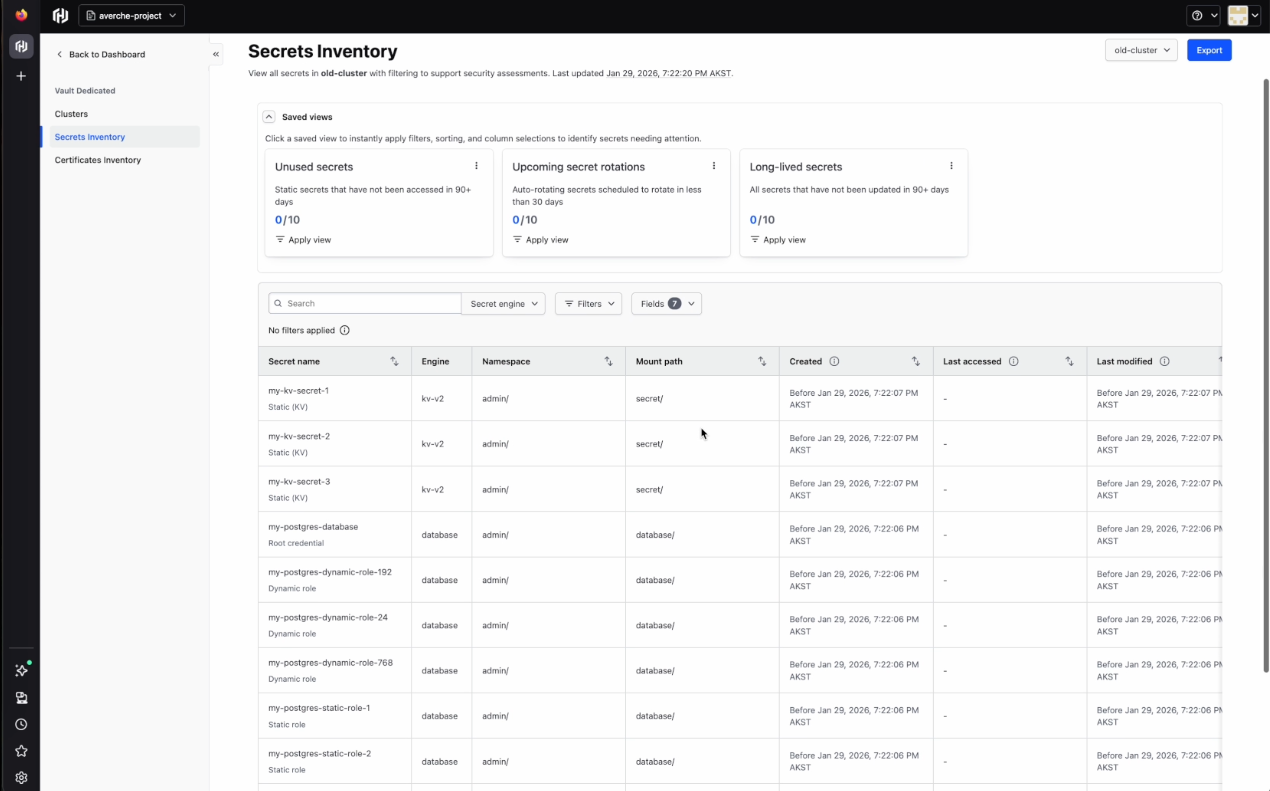
Secrets inventory
In the secrets inventory tab, you'll see each secret with a name, type, engine, mount path, create date, access date, and modification date. Users can create saved views to quickly show information with relevant filters, sorting, and column selection. The Secrets Inventory tab has three saved views out of the box:
- Unused secrets: Static secrets that have not been accessed in 90+ days
- Upcoming secret rotations: Auto-rotating secrets that are scheduled to rotate in less than 30 days
- Long-lived secrets: All secrets that have not been updated in 90+ days
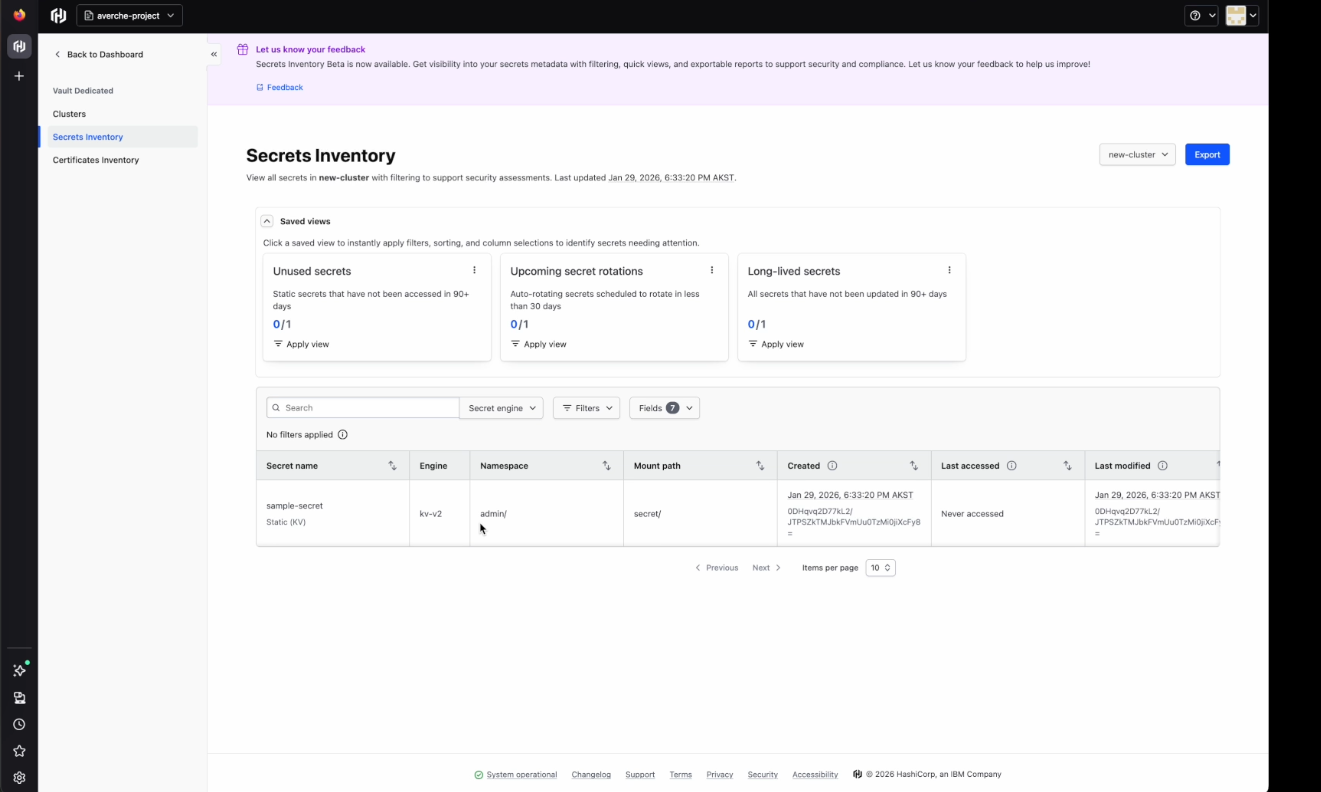
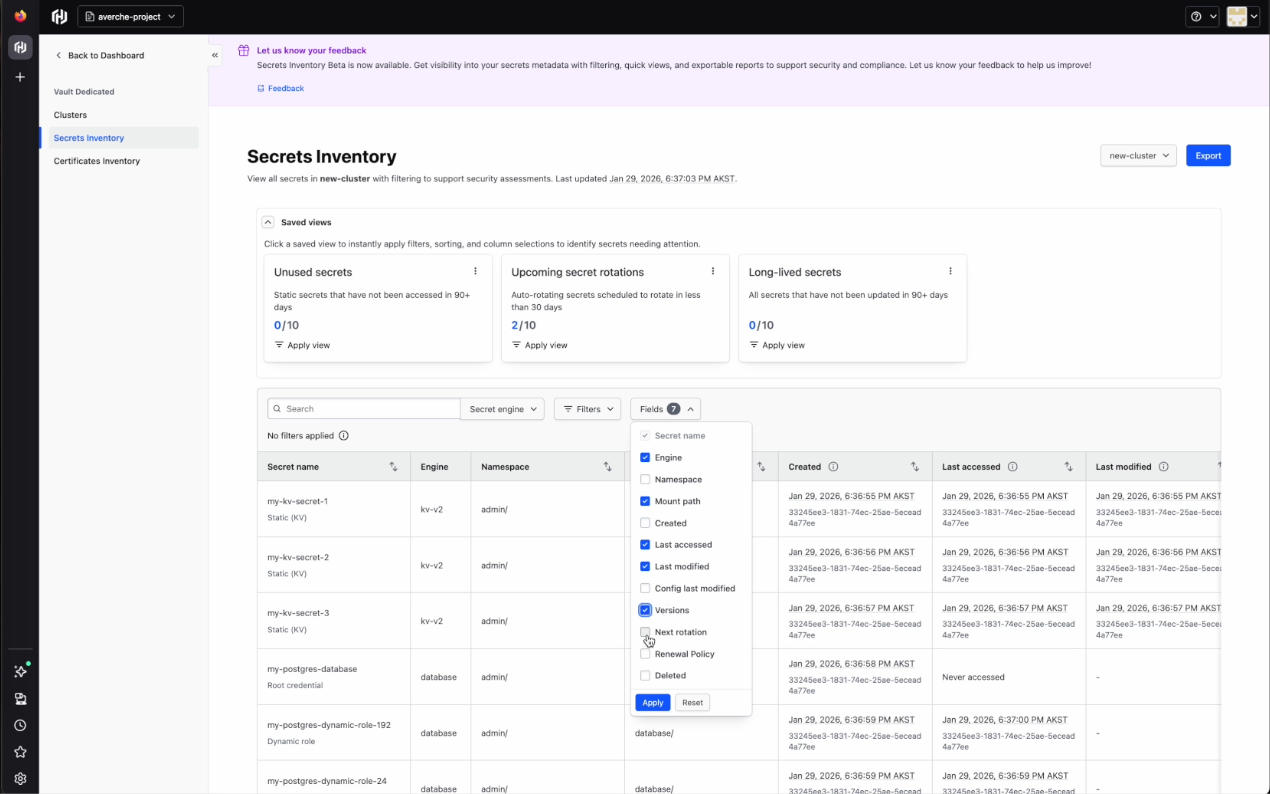
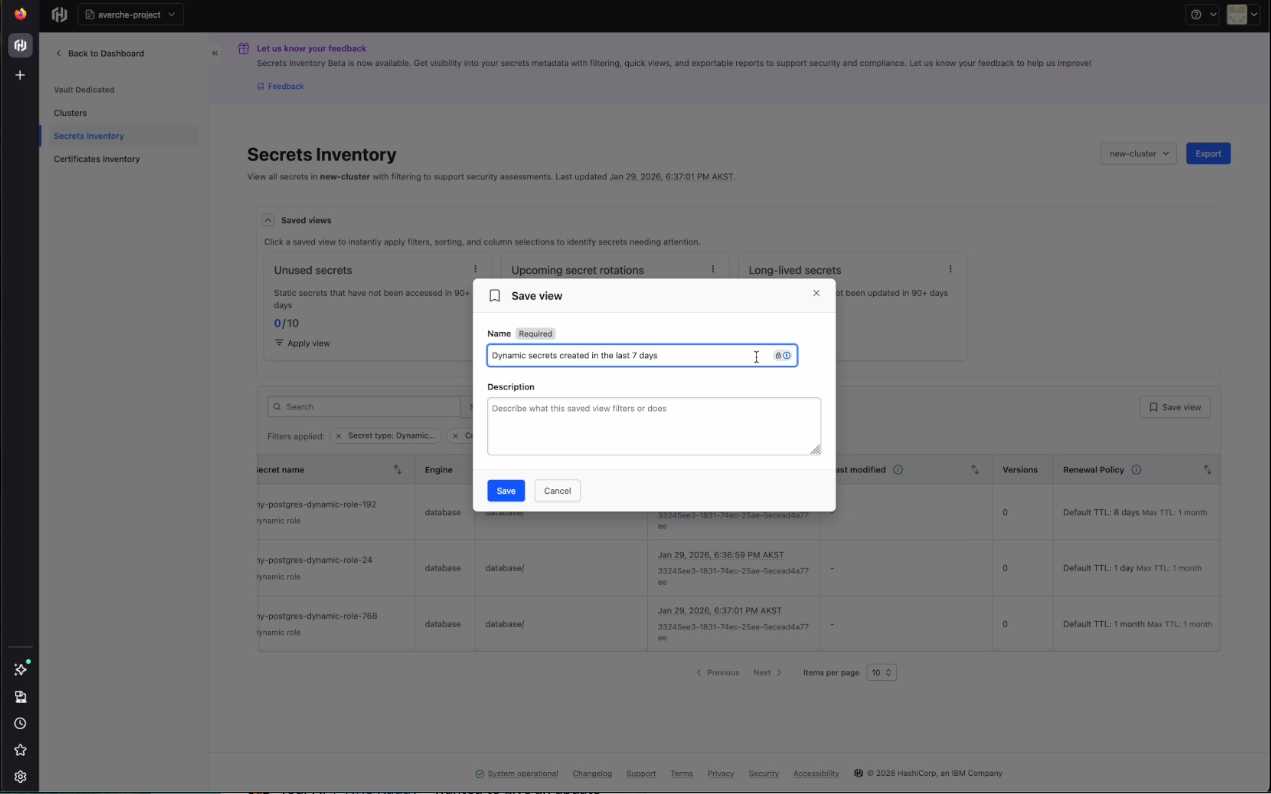
The user can customize views by selecting and deselecting fields or applying other filters. These customizations can then be saved as saved views. Another useful tool is the search bar, which allows the user to easily look for specific secrets by name.
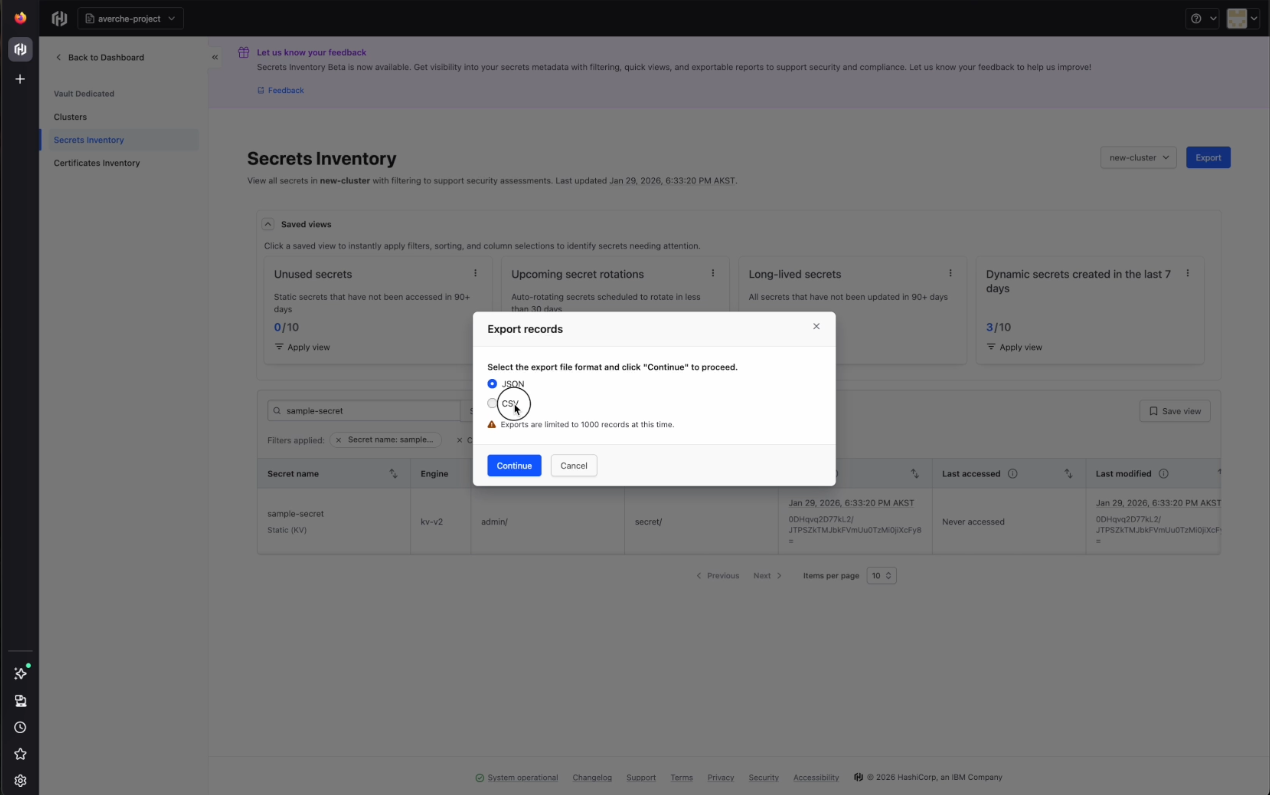
To use this data in certain external tools, the user may export the records with a choice of either JSON or CSV file format.
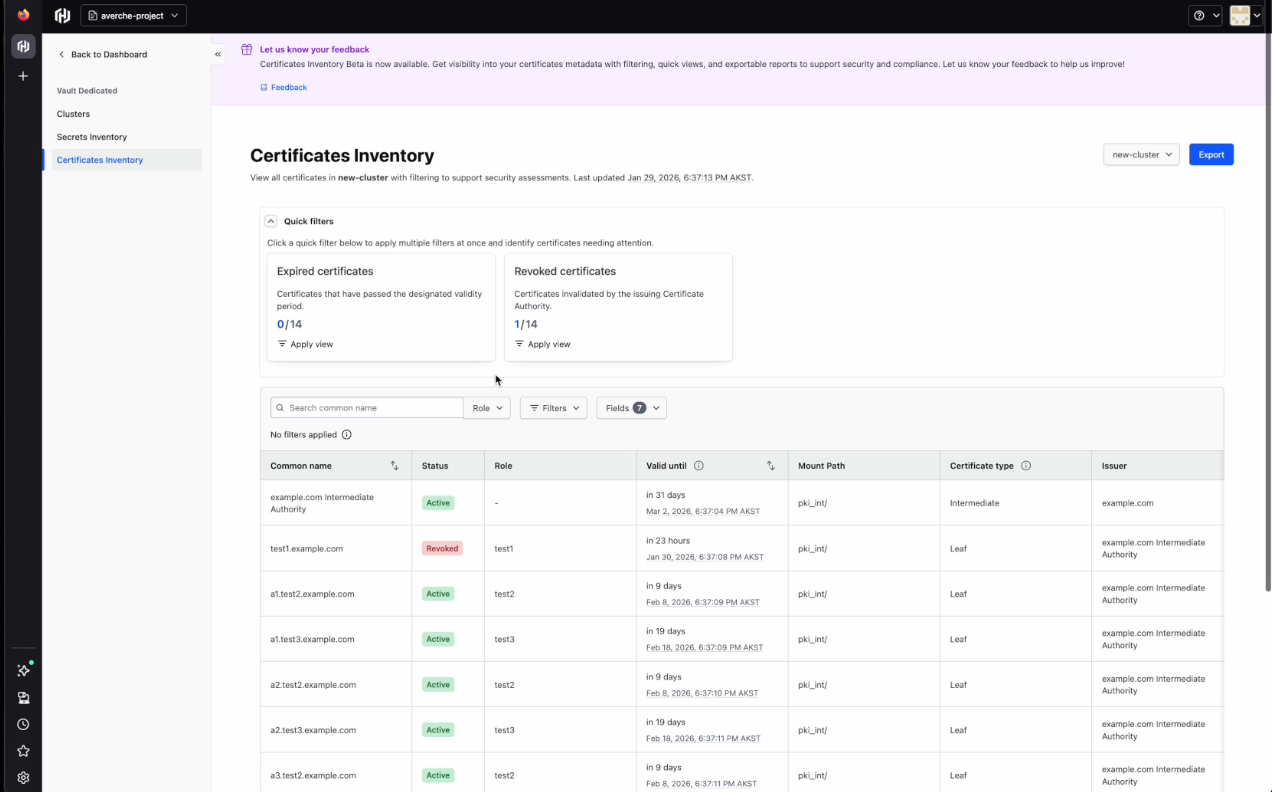
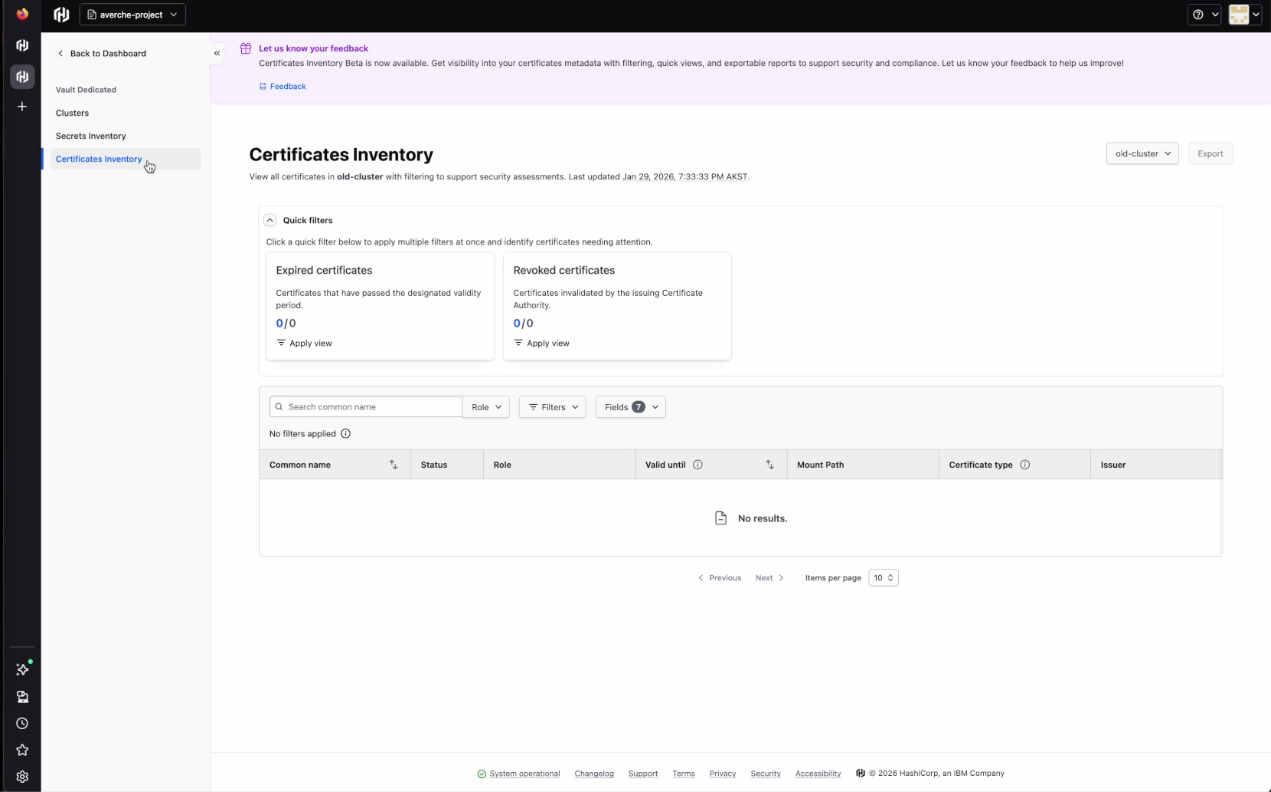
Certificates inventory
In the Certificates Inventory tab, you'll see each certificate’s name, status, role, validity, mount path, type, and issuer. You’ll also see two preconfigured quick filters:
- Expired certificates: Certificates that have passed the designated validity period
- Revoked certificates: Certificates invalidated by the issuing certificate authority (CA).
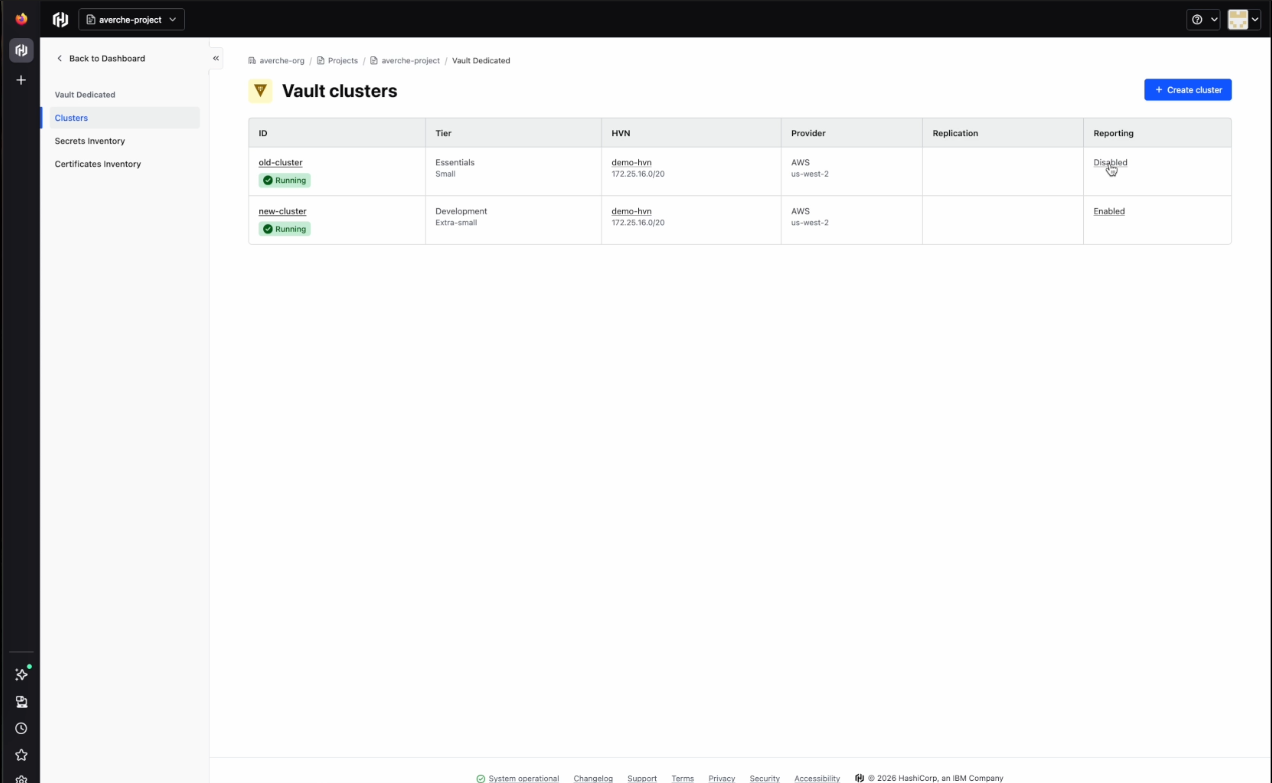
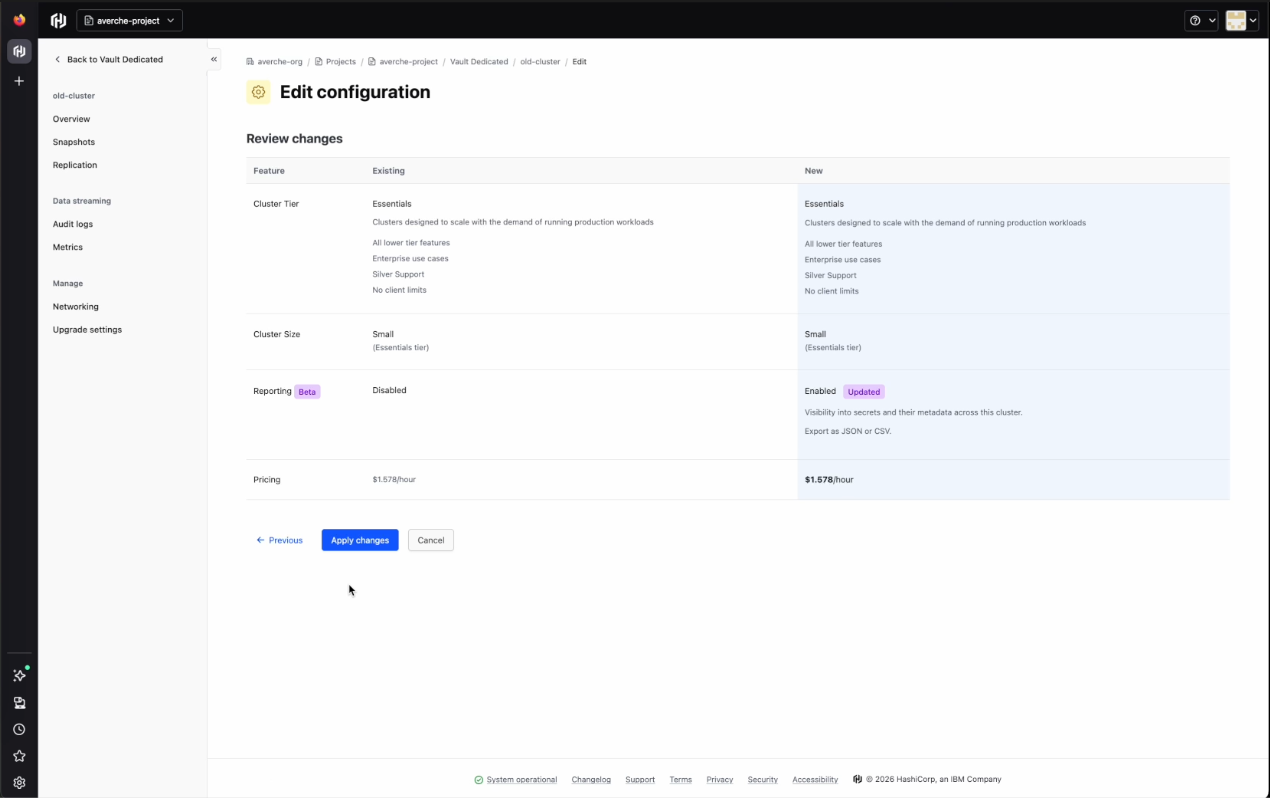
In the Clusters tab above the certificates and secrets inventory tabs, a column for reporting will show whether reporting has been “Enabled” or “Disabled”. A cluster can be deployed without immediately enabling reporting, but we recommend enabling reporting upon deployment. Having a gap between cluster deployment and reporting enablement will result in timestamps that only start being recorded upon enablement.
- Toggle reporting on for the cluster and apply the changes to enable reporting
- After a complete scan of this cluster, the data in the secrets and certificates inventory tabs will then be populated and timestamped to the enablement time
- Events will be recorded only from that point forward
- Since certificates are not stored in Vault, in the case of Certificates Inventory, only newly issued certificates and newly expired certificates will have event data
Getting started
Certificates and secrets inventory reporting is now available in public beta for HCP Vault Dedicated Plus tier customers, with future plans to extend support to Vault Enterprise self-managed deployments. Customers can enable reporting from the Active Resources page in HCP or directly on HCP Vault Dedicated clusters.
For organizations operating under security and compliance requirements, this improves visibility and makes it easier to gather the evidence auditors ask for.
from HashiCorp Blog https://ift.tt/LemJHnj
via IFTTT


No comments:
Post a Comment